

Skip to content
English
My AccountCart
Packaging Prepress

A Complete Overview of Packaging Prepress

Alexandra Blanck

Written by Alexandra Blanck

Content Manager, Esko

What Is Packaging Prepress?

Packaging prepress is all the technical preparation work required to turn a design file into a production-ready file that can be reproduced accurately and consistently on press. It encompasses file checking, color management, trapping, proofing, and output preparation, among other tasks.

Unlike prepress for commercial print, packaging prepress must account for a much wider range of variables: multiple substrates, diverse print processes, structural packaging formats, regulatory compliance, and complex color specifications.

As volume grows, from a handful of label SKUs per week to hundreds across multiple sites and processes, inconsistency between sites, manual handoffs, and lack of standardization become the primary sources of error and delay.

Esko’s packaging prepress overview is a strong starting point for understanding the full scope of challenges and solutions in this discipline and how Esko can help solve them (we will get into the nitty gritty details here).
Where does Packaging Prepress Fit in the Production Workflow?

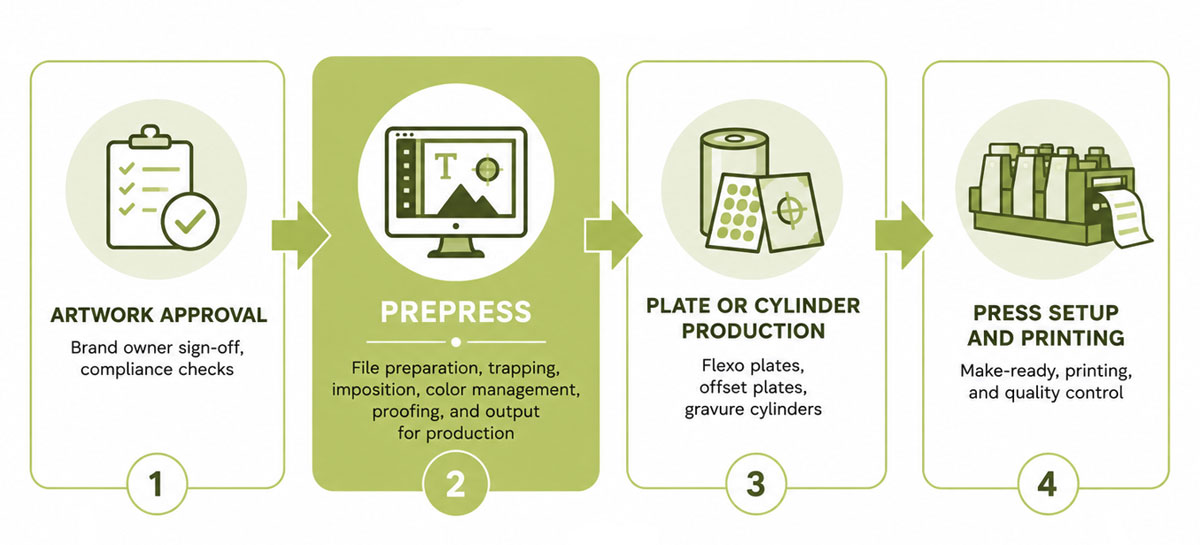
Packaging prepress connects the upstream creative process (brand design, artwork creation, regulatory review) with the downstream production process: platemaking, press setup, printing, and finishing.

In a typical workflow, prepress sits between:

  • Artwork approval (brand owner sign-off, compliance checks)
  • Plate or cylinder production (flexo plates, offset plates, gravure cylinders)
  • Press setup and printing

Managed well, prepress acts as a quality gate that stops errors before they reach the press. Managed poorly, problems compound at every downstream stage, and in a multi-site operation they multiply across plants, producing inconsistent output and unpredictable turnaround that are hard to diagnose and harder to fix.

Automation is central to connecting these stages efficiently. This guide on automating your prepress workflow explains how modern operations use automation, quality assurance, and standardized output to keep production moving.

Why Packaging Prepress Matters

A single undetected error in a production file can result in:

  • Incorrect color reproduction that misrepresents the brand
  • Barcode failures that prevent products from scanning at retail
  • Regulatory non-compliance from missing or incorrect label text
  • Structural misalignment between artwork and dieline
  • Press downtime caused by files that are not output-ready

Beyond quality, prepress efficiency drives time-to-market. Brands launching new or seasonal packaging cannot afford long prepress cycles built on manual checks and revision loops.

The pressure is sharpest for mid-market converters: a lean single-site operation cannot absorb the cost of a reprint the way a large enterprise can, and a growing regional group cannot scale if every new site introduces fresh inconsistencies.

The cost of getting it wrong is not only financial. It affects customer relationships and competitive position.

Example of a costly printing mistake

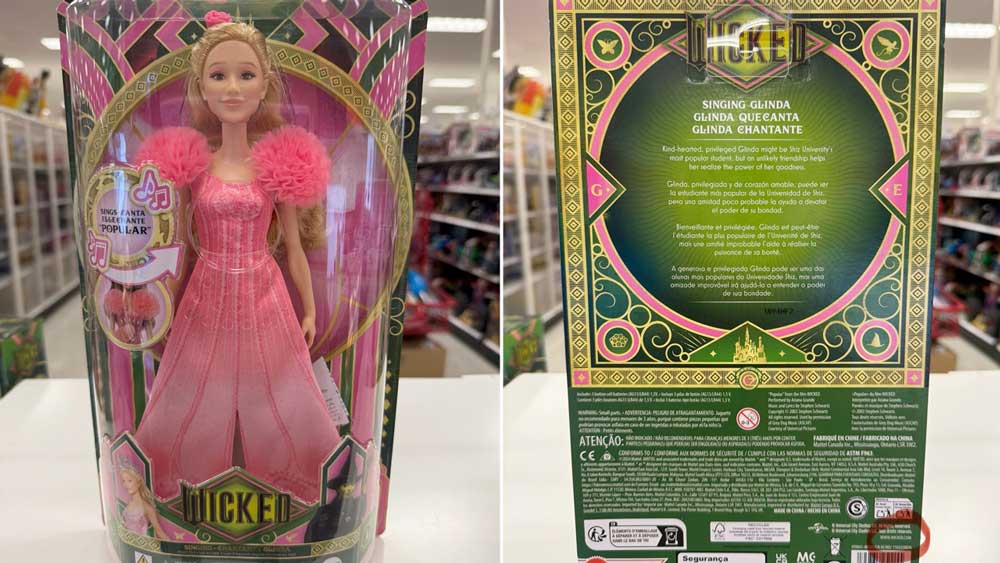
Mattel’s “Wicked” Dolls — Wrong Website on Packaging (2024)

One of the most high-profile recent printing disasters. Mattel accidentally printed WickedMovie.com instead of Wicked.com on millions of doll packages.

The wrong URL directed parents and children to an adult content website. Mattel had to issue a public apology and recall the packaging, costing them enormously in reprints, PR damage, and legal exposure.

This mistake should have been caught in prepress, and quality workflows and checkpoints minimizes the risk of this happening.

Core Packaging Prepress Tasks

File Preparation and Preflight Checks

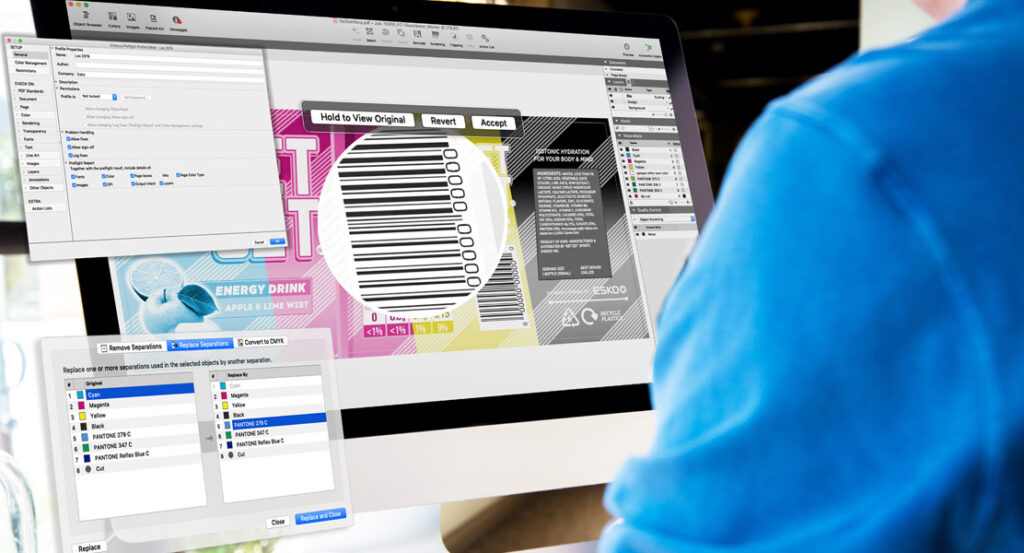
Preflight is the first line of defense: incoming files are checked against defined technical specifications (color modes, resolution, fonts, links, bleed, and trim) before any production work begins.

Automating those checks against defined profiles removes the reliance on individual experience and makes the process repeatable. This post on how graphic editing tools help packaging converters shows how purpose-built tools reduce preflight failures.

Dieline Alignment and Artwork Layout

Artwork must align precisely with the structural dieline that defines where the package is cut, folded, and glued, and misalignment is one of the most common and costly prepress errors.

ArtPro+ is Esko’s native PDF prepress editor, with structural alignment workflows built specifically for packaging artwork.

Color Separation and Color Management

Packaging files often combine process colors (CMYK) with spot colors, brand-specific Pantone references, and extended gamut inks, all of which must reproduce consistently across substrates and print runs.

Equinox is Esko’s extended gamut color management solution, reproducing a wide range of spot colors with a fixed set of process inks to improve consistency and reduce ink changes on press.

Trapping for Print Registration

Trapping creates small overlaps between adjacent color areas to compensate for minor misregistration on press, preventing the visible white gaps that are unacceptable in finished packaging.

Automation Engine applies trapping rules consistently as part of a broader prepress workflow, without manual intervention on every file.

Proofing and Approval

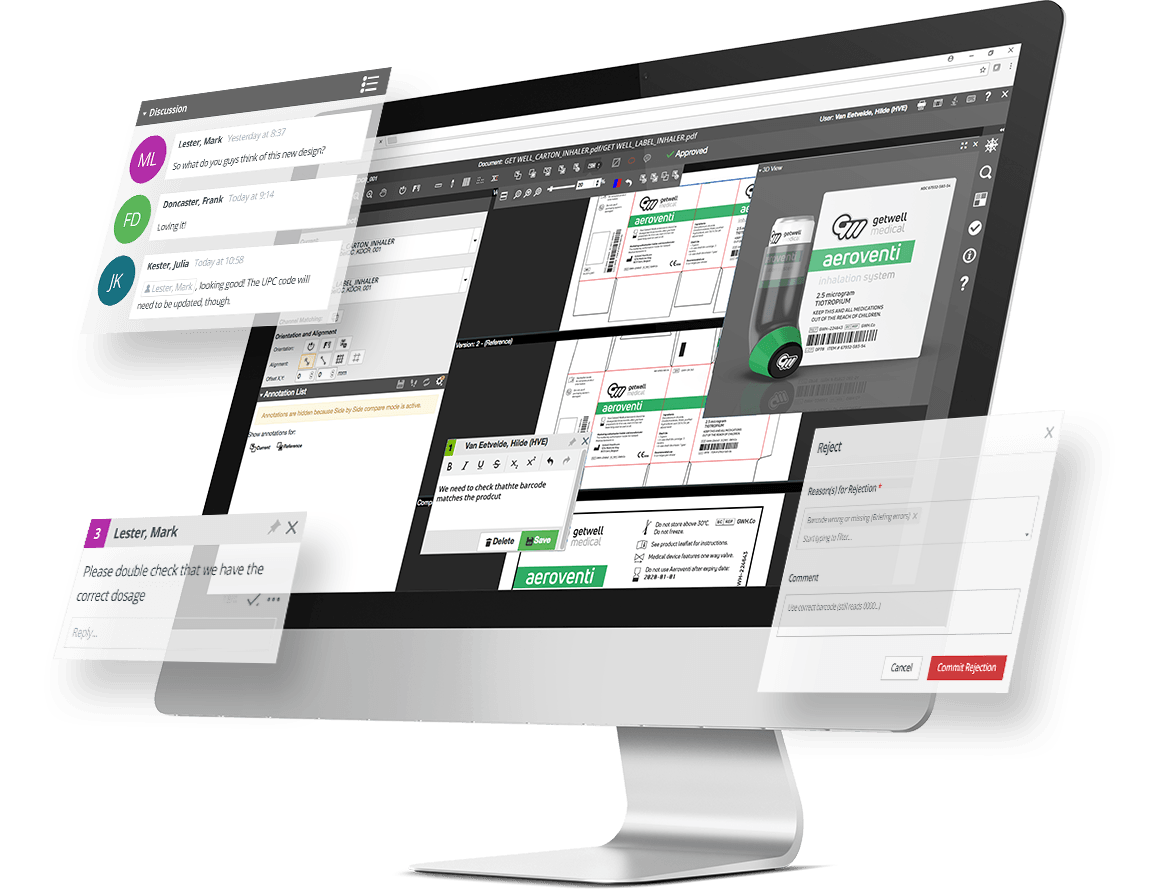
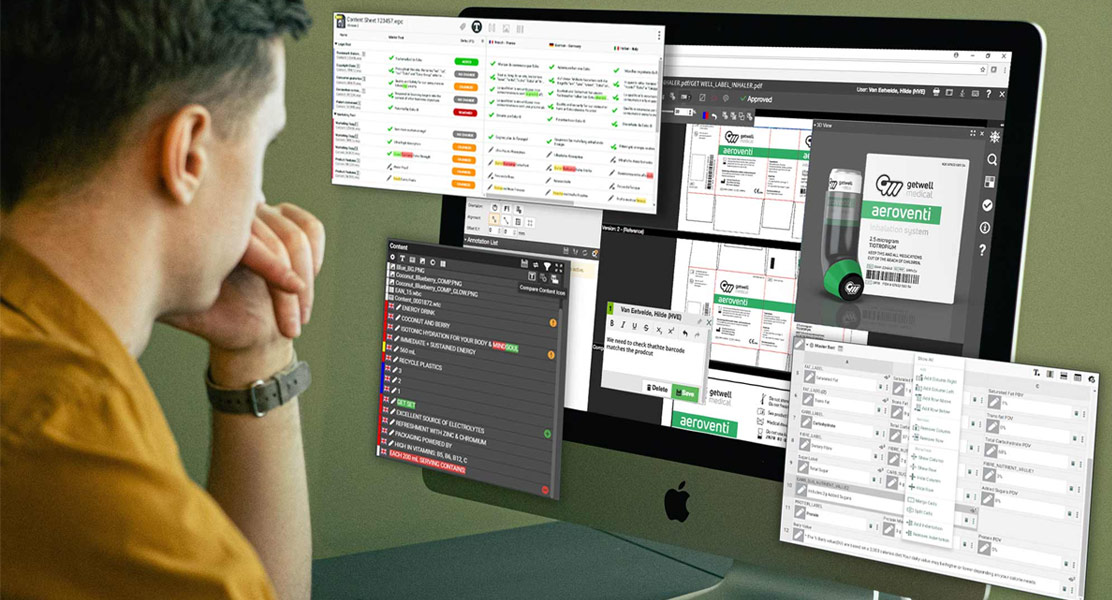
Proofing is where stakeholders review and approve the production-ready file, covering both visual accuracy and content elements such as text, barcodes, and compliance, before it moves to platemaking or press.

Moving from manual, physical proofing to a structured digital approval workflow is a prerequisite for operating at scale. This article on moving away from manual proofing covers the signs that a proofing process has become a bottleneck.

Output Preparation for Plate or Press

Once approved, a file must be prepared for the specific print process (flexo, offset, gravure, or digital), with the correct screening, separations, ICC profiles, and imposition. Defining and automating output profiles per process and substrate makes the step predictable.

This case study on Image Options shows how Automation Engine standardizes output preparation across multiple print processes.

How Packaging Artwork Is Made Print-Ready

Blog banner for Artwork Approval

Checking Resolution, Fonts, Links, and Color Modes

Making artwork print-ready starts with a technical audit of the incoming file. The most common issues:

  • Low-resolution images that print soft or pixelated
  • Missing or non-embedded fonts that cause text reflow or substitution
  • Broken or missing linked files that leave blank areas
  • Incorrect color modes, such as RGB images in a CMYK or spot color workflow

This guide on eliminating common prepress errors covers each of these failure points in detail.

Converting Design Files Into Production Files

Files built in Adobe Illustrator or Photoshop are not automatically production-ready. Conversion typically involves:

  • Flattening transparency
  • Converting RGB elements to CMYK or spot color
  • Embedding or outlining fonts
  • Restructuring layers and separations for print output

When files arrive directly from brand owners or agencies, incoming quality varies widely, and time spent correcting them is time not spent on production. Tools that work inside the design environment let operators catch and fix issues before files enter the production queue.

DeskPack extends Adobe Creative Cloud with packaging prepress tools, so production-ready files can be prepared within the existing design environment.

Preparing Graphics for Different Packaging Formats

Packaging spans folding cartons, flexible pouches, labels, corrugated cases, shrink sleeves, and more, each with its own structural requirements and prepress considerations. Teams must adapt artwork for:

  • Format-specific bleed and safe area requirements
  • Distortion compensation for shrink sleeves and flexible substrates
  • Step-and-repeat or imposition for efficient press utilization
  • Different ink and substrate combinations

Converters working across formats, common when serving diverse brand owner portfolios, need processes that handle these requirements systematically rather than relying on individual operator knowledge.

Phoenix is Esko’s AI-powered planning and imposition software, built to handle varied layouts and formats while maximizing material utilization.

Key Technical Elements in Packaging Prepress

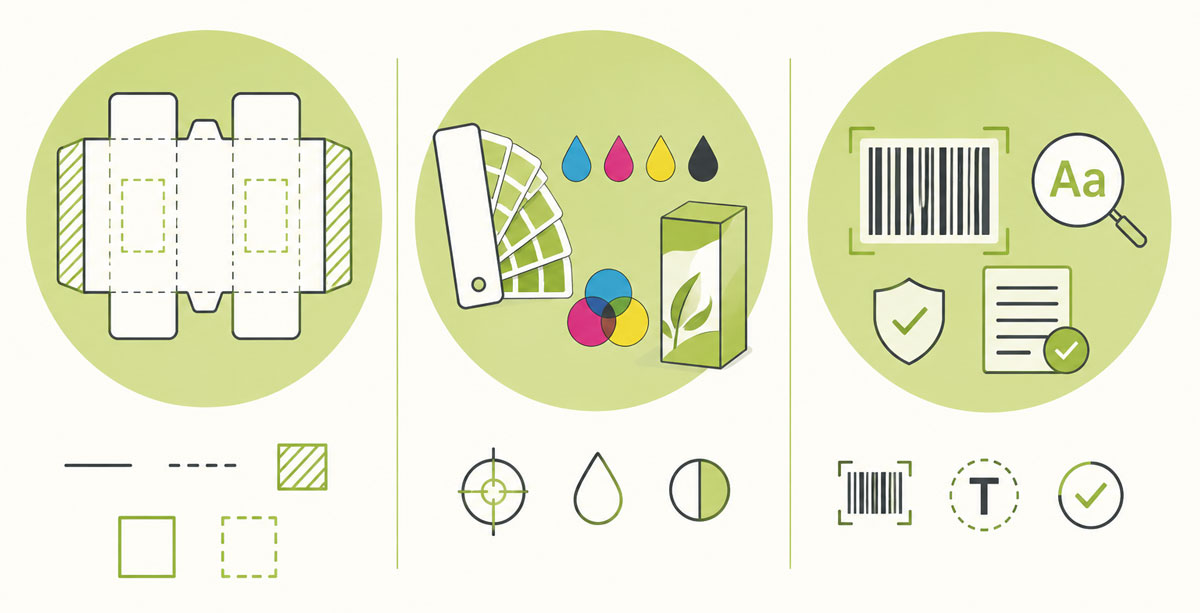
Key Technical Elements in Packaging Prepress Dielines, Bleed, Safe Area, and Cut/Fold Zones Spot Colors, CMYK, and Extended Color Considerations Barcodes, Small Text, and Other Critical Print Elements

Dielines, Bleed, Safe Area, and Cut/Fold Zones

Every file must include a correctly defined dieline that communicates the package’s structural intent:

  • Cut lines: where the substrate will be cut
  • Fold lines: where the package will be creased and folded
  • Glue areas: where adhesive will be applied
  • Bleed: artwork extended beyond the cut line to prevent white edges
  • Safe area: the zone within which critical content must stay

Dieline work is foundational and unforgiving. These errors aren’t caught by color checks or barcode verification; they only surface when a physical sample is assembled, when correction is far more expensive.

ArtiosCAD is Esko’s structural packaging design tool, providing the structural intelligence behind accurate dieline-based prepress across all formats.

Converting Design Files Into Production Files

Brand owners often specify proprietary spot colors that must match precisely across print runs and substrates. Teams must manage:

  • Spot color definitions and their relationship to process color builds
  • Ink sequences and how they interact on press
  • Substrate-specific color shifts that change how inks appear
  • Extended gamut workflows that replace multiple spot inks with a fixed set of process inks

For converters serving brand owners with strict color standards, hitting a Pantone reference consistently across substrates and runs is a commercial differentiator, and a serious technical challenge without the right infrastructure.

Imaging Engine supports advanced screening and color-related output control, directly affecting separation quality and final print output.

Preparing Graphics for Different Packaging Formats

Some elements demand special attention in prepress:

  • Barcodes must meet strict size, color, and quiet zone specs to scan reliably at retail
  • Small text must be legible at final print size and trap correctly
  • Regulatory text must be present, accurate, and compliant
  • Nutritional information, allergen warnings, and ingredient lists must be verified for accuracy

These carry real compliance and commercial weight: a barcode that fails to scan is a supply chain problem, and a missing allergen warning is a regulatory and liability issue. In food, beverage, and pharmaceutical packaging, manual review is not a reliable long-term solution.

Esko’s AI-led label compliance innovation addresses barcode and packaging validation within a compliance-focused workflow.

Packaging Prepress by Print Process

Flexographic Prepress Requirements

Flexo is the dominant process for labels, flexible packaging, and corrugated. The physical nature of the plate and the way ink transfers from plate to substrate create prepress challenges that don’t exist in other processes:

  • Dot gain compensation: plates compress on press, spreading dots so they print darker than expected
  • Minimum dot size: very small dots may not hold on the plate or transfer cleanly
  • Highlight and shadow behavior: flexo’s tonal range is narrower than offset or gravure
  • Plate distortion compensation: cylindrical mounting distorts the image, which must be corrected in prepress

Flexo prepress is also tied directly to platemaking hardware: how the plate is imaged and exposed has a direct impact on print quality.

Prepress and platemaking should be treated as a connected system, not separate steps. This case study on Rivendell shows how Esko tools improve flexo plate quality and downstream print performance in a real production environment.

Offset and Digital Packaging Prepress Differences

Offset packaging prepress is more forgiving on dot reproduction and color accuracy, but still demands careful trapping, color profiles, and imposition.

Digital packaging prepress removes platemaking entirely but adds its own considerations around color management, variable data, and substrate compatibility, plus careful file preparation so the RIP (Raster Image Processor) produces consistent output.

For converters running multiple processes, the harder problem is organizational: maintaining separate workflows for flexo, offset, and digital multiplies complexity and risk.

A unified platform that handles output across processes makes cross-process consistency achievable.

This Image Options case study references how Automation Engine supports print-ready file preparation across digital, flexo, offset, and gravure.

Common Packaging Prepress Errors and How They Affect Production

Printing mistakes on labels and packaging can be extremely costly because they often happen after artwork approval but before or during production, when plates, print runs, materials, logistics, and retail timelines are already committed

Here are some of the most common packaging prepress errors:

  • Incorrect color mode (RGB artwork sent for CMYK or spot color printing)
  • Missing bleed, causing white edges on the finished package
  • Artwork outside the safe area, cutting off critical content
  • Incorrect barcode specifications, causing scan failures at retail
  • Trapping errors, leaving visible registration gaps on press
  • Low-resolution images that print soft or pixelated
  • Incorrect dieline, causing structural misalignment

For a full overview, see this blog post highlighting the most common prepress error and how to solve them.

Note: Systematic checks against defined profiles are the only way to hold quality at large scales. This case study on Bemis Co. shows how automated checks catch file errors before they reach production.

Why the costs of a printing mistakes can escalate so fast

A prepress mistake can cost far more than the print job itself. The real costs often include wasted substrate, ink, plates, press time, overtime, delayed launches, emergency reprints, logistics, retailer penalties, product write-offs, legal exposure, and loss of brand trust. In severe cases, especially with allergens, pharma dosage information, medical devices, or child safety warnings, the cost becomes a recall, not just a reprint.

A good example of this is the recent Mattel Wicked printing mistake.

The key point: a label error that costs cents to prevent can cost millions once printed, packed, shipped, and stocked.

The Packaging Prepress Workflow Step by Step

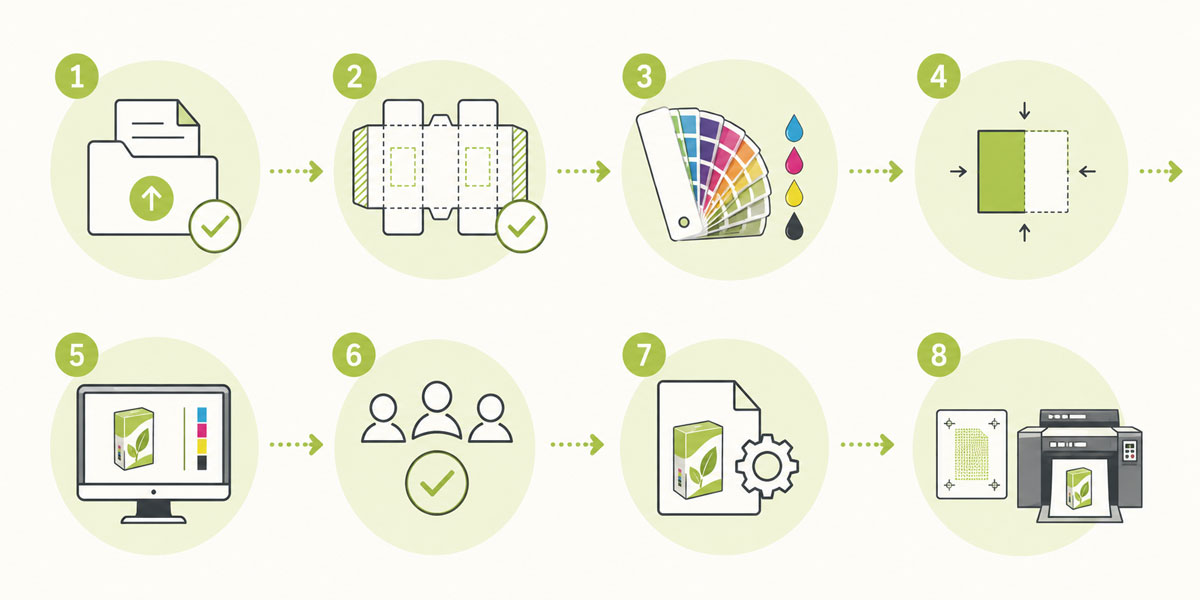
Eight-step packaging prepress workflow shown as a simple visual process, from file receipt and dieline verification through color management, trapping, proofing, approval, output preparation, and final plate or press output.

Our detailed guide to the full prepress process dives deeper into this subject. Here a TL:DR.

A well-structured packaging prepress workflow typically follows these stages:

  1. File receipt and preflight: Incoming files are checked against technical specs; issues are flagged and returned for correction.
  2. Dieline verification: The structural dieline is confirmed against the approved design and checked for correct alignment with cut, fold, and bleed zones.
  3. Color management: Spot colors are verified and mapped; separations are prepared for the print process and substrate.
  4. Trapping: Trapping is applied based on the print process and its registration tolerances.
  5. Proofing: A proof is generated and submitted for approval as a digital soft proof, contract proof, or physical press proof depending on the job.
  6. Approval: Stakeholders review and approve; required changes trigger a revision cycle.
  7. Output preparation: The approved file is prepared in the correct format and settings for the target process.
  8. Plate or press output: Files go to the platemaking system or directly to the digital press.

The stages look broadly similar across operations; what differs is execution. At a single site, two or three people may handle them with a mix of tools and judgment, while across multiple plants the same workflow has to be standardized and enforced consistently, or quality and turnaround diverge.

Esko’s product portfolio
covers the full range of tools supporting each stage, from preflight and color management through platemaking and press output.

Final Quality Control Before Printing

Final QC is the last chance to catch errors before press. The focus shifts from technical file preparation to a holistic review of the production-ready file:

  • Visual inspection of the complete artwork layout
  • Barcode verification against specification
  • Text and content review for accuracy and compliance
  • Color separation review to confirm correct ink channels and sequence
  • Output settings verification for screening, resolution, and format

In regulated categories this review carries real weight: a missed compliance issue can mean a recall, a penalty, or a damaged brand relationship.

AI-powered tools are increasingly used to automate parts of this review, particularly for compliance-critical elements like text and barcodes.

This article on how AI can flag non-compliant text before designers even export the file
explores how AI is changing the QC landscape.

Conclusion

Packaging prepress is a technically complex, high-stakes discipline that requires skilled people, well-defined processes, and purpose-built technology. The strongest operations run automated quality checks at every stage using tools designed specifically for packaging, not adapted from general print.

The starting point differs by operation. A lean single-site converter needs to solve specific, high-impact problems first: faster preflight, more reliable color, fewer revision cycles. A multi-plant group needs standardization and workflow control that does not depend on individual expertise at each location. 

Either way, the destination is the same: a structured, automated prepress function that delivers predictable results at scale.


Some images in this blog post have been edited or generated using AI