Jan De Roeck, member of the Esko Corporate Marketing team, is highly respected and trusted for his insight in the graphic arts industry.
What is the Packaging Prepress Process?
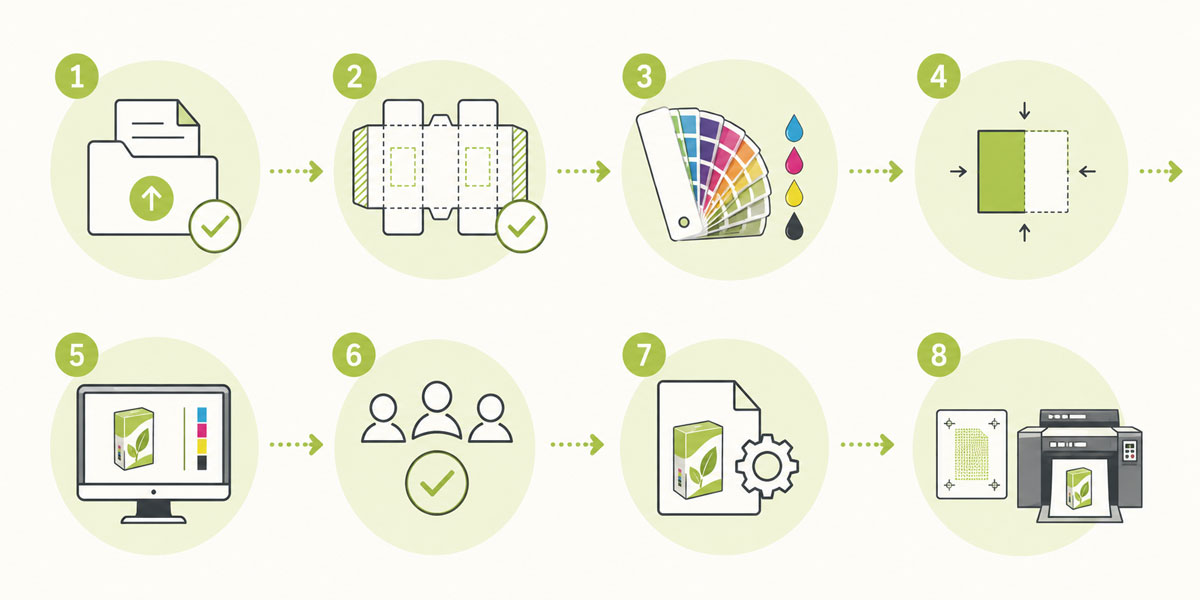
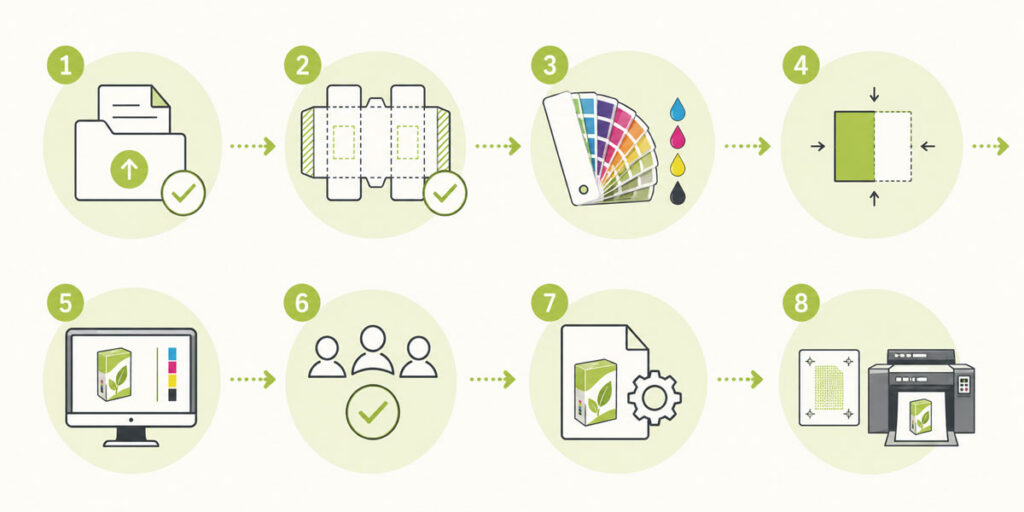
Packaging prepress is the set of technical operations that changes a design file into a verified, print-ready output. It includes everything from receiving the original artwork file to producing the plates, separations, or digital output used to print the final packaging.
The process involves:
Checking and correcting files
Managing color
Verifying structural fit
Handling compliance content
Producing output that matches the requirements of the specific print method and substrate
Unlike general graphic design prepress, packaging prepress must account for a much wider range of variables: substrate behavior, print process tolerances, structural dielines, regulatory requirements, and multi-layer finishing effects. It requires specialized tools built specifically for packaging production.
Converting artwork into a print-ready file involves far more than file cleanup. It includes preflight, barcode creation, color separation, color management, trapping, approvals, and step-and-repeat preparation.
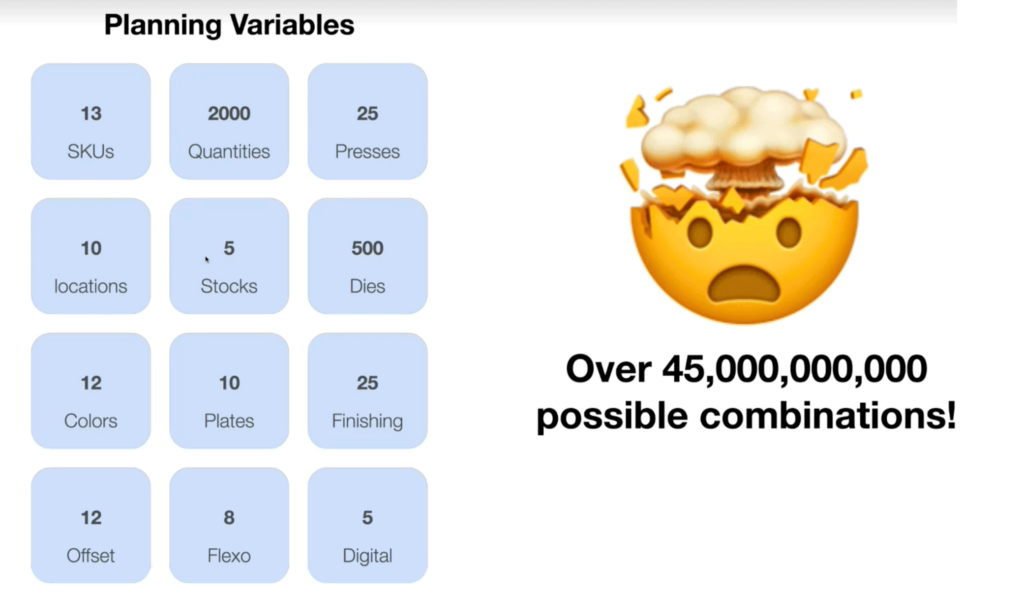
The complexity of this process scales with the size of the operation.
A single-site converter producing labels or folding cartons needs prepress tools that are efficient, reliable, and easy to operate with a small team. A regional group running multiple plants needs those same tools to work consistently across sites, with standardized settings and shared workflows that prevent quality variation between locations.
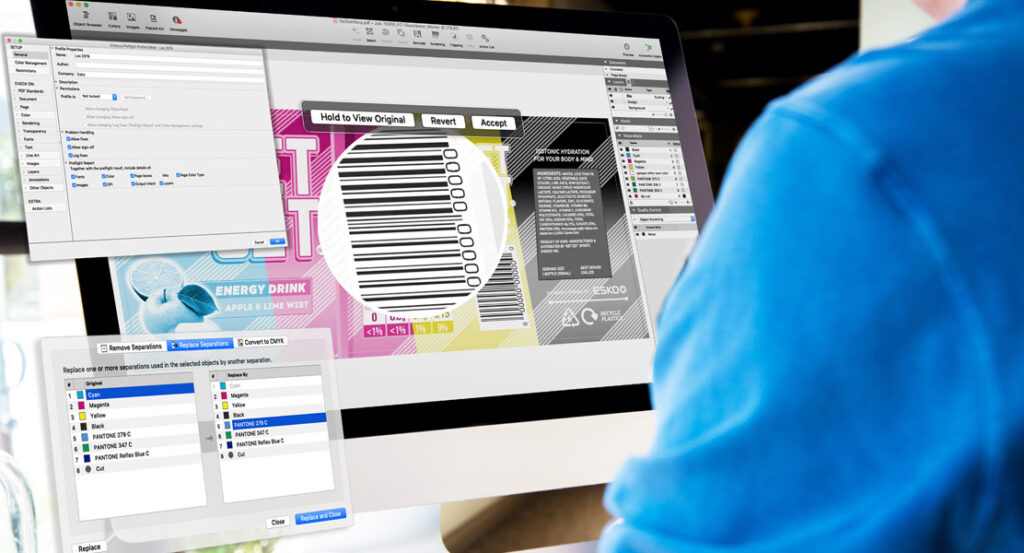
ArtPro+ is an example of a native PDF editor built specifically for packaging prepress workflows, designed to handle the complexity of packaging files without the compromises of general-purpose design tools.
Where Prepress Fits Between Packaging Design and Printing
Packaging prepress sits between the artwork creation stage and the press. Once a designer or brand team delivers a finished artwork file, prepress takes over to verify, prepare, and optimize that file for production.
This handoff is a critical transition point.
Design files are created for visual accuracy
Prepress files must be technically accurate for print
The two requirements overlap but are not the same.
Prepress professionals must interpret design intent while applying the technical rules of the print process. They work with dielines, color profiles, ink sequences, trapping rules, and substrate specifications that designers may not fully account for.
At a small converter, this bridging role often falls to one or two specialists who handle everything from file intake to final output. At a larger regional group, the same function may be split across dedicated roles, with separate teams responsible for color management, compliance checking, and plate production. The tools need to support both realities.
Tools like DeskPack help bridge this gap by connecting design applications directly to packaging prepress tasks, allowing artwork to move from creation to production-ready preparation without unnecessary file conversion or data loss.
Why Packaging Prepress Matters
Prepress is where print accuracy, structural fit, and error prevention converge. Done well, it ensures brand colors reproduce consistently across runs and substrates, artwork aligns correctly with the dieline, and problems are caught before they reach the press, where mistakes become expensive.
The consequences of skipping rigorous prepress checks can be severe. In 2024, a misprint on Mattel’s Wicked doll packaging directed consumers to an adult website rather than the official movie site, forcing a full recall of the product line just before the holiday season. A single overlooked URL cost the company a major product launch. Source:Packaging World
Prepress teams are not just adjusting files. They are adjusting colors to match validated color targets, including brand and Pantone references established earlier in the process.
Structural checks verify that text, imagery, and barcodes sit correctly within the packaging’s cut, fold, and glue boundaries — preventing artwork that is unusable once the pack is formed. Automation is increasingly central to this, handling preflight, color checks, and compliance verification with less manual intervention. As Tielemans notes:
“Automation reduces the editor’s workload by connecting prepress tasks, approval flows, and quality checks so more of the process can run consistently and with less manual intervention.”
For a practical look at the most common prepress errors and how to address them, seethis guide to eliminating prepress errors. For a deeper dive into the full process, see our complete overview of prepress article.
Core Stages of the Packaging Prepress Process
Stage 1: File Intake and Preflight Checks
The first stage is receiving the artwork file and running a preflight check. Preflight is an automated or semi-automated inspection that verifies the file meets the technical requirements for production.
A packaging-specific preflight check goes beyond basic PDF validation. It checks for:
Correct color modes and profiles
Font embedding and substitution issues
Image resolution relative to print requirements
Bleed and safe area compliance
Ink count and ink name consistency
Overprint settings
Barcode presence and basic format validation
Packaging preflight must be tailored to the specific job requirements, not just generic PDF standards.
For a small team handling high job volumes, automated preflight is not a luxury — it is the difference between catching errors before they cost money and discovering them on press. For larger operations managing files from multiple brand owners or design agencies, consistent preflight standards are also a quality control baseline that protects the entire workflow.
Esko’s packaging preflight tools provide automated, packaging-specific checks for incoming artwork files, helping teams catch issues before they move further into the workflow.
Stage 2: Applying and Verifying the Dieline
Once the file passes initial preflight, the dieline is applied or verified. The dieline defines the physical structure of the packaging and must be correctly aligned with the artwork.
Prepress checks that:
The correct dieline version is being used
Artwork elements respect fold and cut lines
Bleed extends correctly beyond cut edges
No critical content falls within fold allowances or unsafe zones
This stage often involves communication back to the design team if artwork needs repositioning. Getting the dieline right at this stage prevents structural errors from reaching the press.
Stage 3: Artwork Positioning, Bleed, and Safe Areas
With the dieline confirmed, prepress verifies the precise positioning of all artwork elements. This includes checking that:
Bleed extends sufficiently beyond the cut edge (typically 3mm, but this varies by job and substrate)
Safe areas keep critical content away from cut and fold lines
Registration marks and other technical elements are correctly placed
Repeating elements across panels are correctly aligned
Any artwork that does not meet these requirements must be corrected before the job moves forward.
Stage 4: Color Management for Packaging Print
Color management in packaging prepress is a multi-step process. It involves:
Identifying all colors in the file, including spot colors and CMYK builds
Verifying spot color definitions against brand standards and ink libraries
Converting colors to the correct output color space for the print process
Applying ICC profiles appropriate to the substrate and press conditions
Checking ink limits to prevent over-inking on absorbent substrates
Packaging often uses a combination of spot colors and process colors, and managing the interaction between them is a key prepress responsibility. Incorrect color management at this stage leads to color shifts, unexpected ink interactions, and inconsistent reproduction across print runs.
For converters managing multiple brand accounts, color management discipline is also a commercial differentiator. Brands with less tight color tolerances will notice inconsistency.
Standardized color management processes, applied consistently across every job, are what separate converters that retain brand accounts from those that lose them.
Stage 5: Image Resolution and Print Optimization
All images within the packaging artwork must meet the resolution requirements of the print process. Low-resolution images that appear acceptable on screen will print poorly, showing visible pixelation or softness.
Prepress checks:
Effective resolution of all placed images at their final print size
Image mode (RGB images must be converted to CMYK or appropriate color space)
Compression artifacts that may affect print quality
Embedded versus linked image status
Where images fall below acceptable resolution thresholds, the prepress team must request higher-resolution assets from the design team or brand owner.
Stage 6: Trapping and Knockout Setup
Trapping is the process of creating small overlaps between adjacent color areas to compensate for slight misregistration on press. Without correct trapping, small gaps or halos can appear between colors — particularly on flexible substrates that may shift during printing.
Prepress sets up trapping rules based on:
The print process and its typical registration tolerance
The ink sequence on press
The substrate behavior
Specific design elements that require custom trapping treatment
Knockout settings determine whether underlying colors are removed beneath overprinting elements. Incorrect knockout or overprint settings are a common source of color errors that only become visible at press.
Stage 7: Barcode, Text, and Regulatory Content Checks
Packaging carries legally required content including ingredient lists, allergen declarations, nutritional information, regulatory symbols, and barcodes. Errors in this content can result in product recalls, regulatory penalties, and serious brand damage.
Prepress verifies:
Barcode quality and readability — including size, clear zone, and color contrast
Regulatory text for completeness and correct formatting
Font legibility at final print size
Allergen and compliance declarations for accuracy and placement
This is an area where the cost of a missed error is disproportionately high. For converters working in food, beverage, or pharmaceutical packaging, compliance checking is not optional — and manual review alone is not sufficient at scale.
AI-driven tools are increasingly being applied to this stage. Esko’s AI-led label compliance innovation covers automated checks for barcodes, allergens, FDA formatting, and other packaging compliance elements, reducing the risk of human error in this high-stakes area.
Stage 8: Proofing and Final Approval
Before the job goes to press, a proof is produced for approval. Proofing serves two purposes:
It gives stakeholders a visual representation of the final output
It provides a reference standard for the press operator
Packaging proofs must be:
Color-managed to simulate press output accurately
Substrate-appropriate where possible
Annotated with any relevant technical notes
Digital soft proofing is increasingly common for faster approval cycles, but hard copy proofing remains important for color-critical jobs and new packaging structures.
The approval stage often involves multiple stakeholders including brand owners, regulatory teams, and production managers. At a single-site converter, this may be a straightforward internal sign-off. At a regional group managing jobs for multiple brand owners across several plants, structured approval workflows become operationally critical.
A clear, structured approval process prevents miscommunication and ensures that the correct version of the file is signed off.
Centralized collaboration, proofing, and structured approvals make final sign-off faster and more reliable, especially when multiple internal teams and external partners are involved.
Once approved, the prepress team produces the final output. This may include:
Print-ready PDF files for digital or offset printing
Separated files for each ink channel
Flexographic plates for flexo printing
Imposition layouts for multi-up press sheets
The output stage must match the exact specifications of the press, including plate size, resolution, screening method, and ink sequence. Any mismatch between the prepress output and the press setup will result in print quality issues.
How the Process Changes by Packaging Print Method
Flexographic Prepress Considerations
Flexographic printing is the dominant process for flexible packaging, labels, and corrugated board. Flexo prepress has specific requirements that differ significantly from offset or digital prepress.
Key flexo prepress considerations include:
Dot gain compensation: Flexo plates compress on press, causing dots to spread. Prepress must apply compensation curves to maintain tonal accuracy.
Minimum dot size: Very small dots may not hold on a flexo plate. Prepress must check and adjust highlight areas.
Plate distortion: Flexo plates are mounted on a cylinder and must be distorted in prepress to compensate for the stretching that occurs during mounting and printing.
Screening: Flexo uses specialized screening technologies to improve ink laydown and reduce banding and mottling.
Plate production: Flexo plates are produced from the prepress output using laser imaging and processing equipment.
Flexo prepress is where the gap between a well-run operation and a poorly run one becomes most visible. The tolerances are tighter, the variables are greater, and the consequences of getting it wrong are immediate.
For converters in flexible packaging, labels, and corrugated, investing in the right flexo prepress capability is a direct investment in print quality and press efficiency.
This case study with Schur demonstrates how Esko supports flexographic prepress and plate production from one-up artwork through to press-ready flexo plates, showing the practical application of these principles in a real production environment.
Flexographic Prepress Considerations
Offset packaging prepress shares many characteristics with flexo but has different tolerances and output requirements. Offset printing offers tighter registration and finer detail reproduction, which affects trapping tolerances and minimum type sizes.
Digital packaging printing eliminates the plate production stage entirely, which simplifies prepress but introduces different considerations around color management, variable data, and substrate compatibility.
Each print method requires prepress professionals to understand the specific capabilities and limitations of the press and to prepare files accordingly.
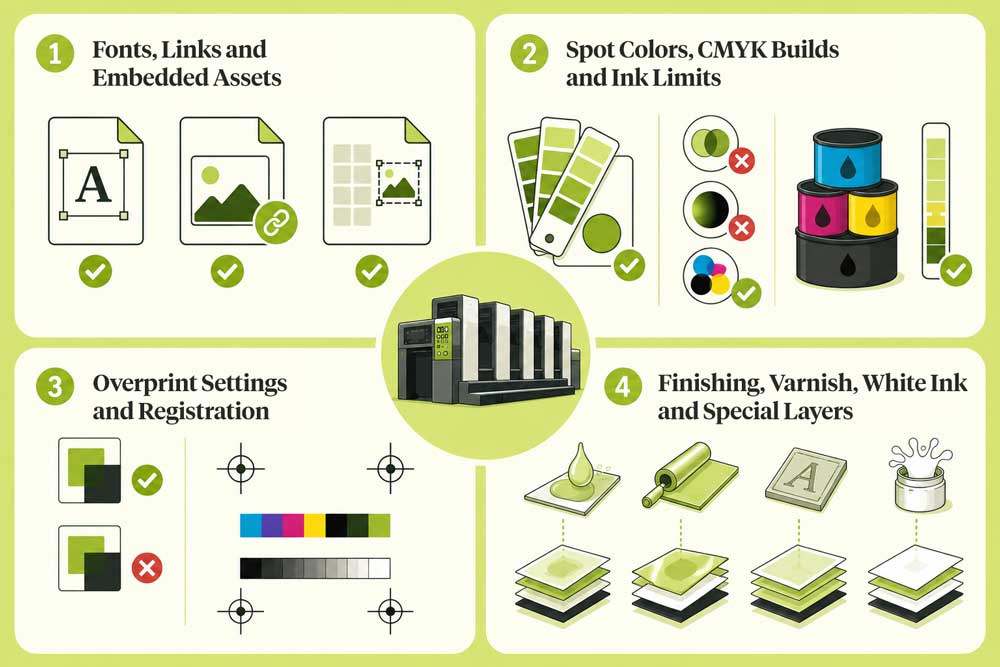
Key Elements That Must Be Correct Before Press
Fonts, Links, and Embedded Assets
All fonts must be embedded or outlined in the final file. Missing fonts will either cause the job to fail or result in font substitution, which changes the appearance of text.
All linked images must be present and at the correct resolution. Broken links are a common cause of prepress failures.
Spot Colors, CMYK Builds, and Ink Limits
Every spot color in the file must have a correct and consistent definition. Common issues include:
Duplicate spot color names with different definitions
Spot colors that have been incorrectly converted to CMYK
Both are a frequent source of color errors. Ink limits must also be checked against the substrate and press specifications to prevent over-inking.
Overprint Settings and Registration
Overprint settings control whether colors print on top of each other or knock out the colors beneath. Incorrect overprint settings are one of the most common and least visible prepress errors, they only become apparent when the job is printed with separated inks.
Registration marks and color bars must be correctly placed for the press operator to use during makeready
Finishing, Varnish, White Ink, and Special Layers
Many packaging jobs include finishing effects such as:
Spot varnish or flood varnish
Foil
Embossing
White ink on transparent substrates
These effects require separate layers or channels in the prepress file. Each finishing layer must be correctly defined, named, and positioned relative to the artwork.
White ink is particularly important in flexible packaging and label printing on clear or metallic substrates, where it acts as a base layer for other colors. Incorrect white ink setup will affect the entire color appearance of the final package.
Common Packaging Prepress Errors
Understanding common errors helps prepress teams build better checks and catch problems earlier. The errors below are consistent across company sizes, but their impact scales with volume. A missed barcode error on a short run is a problem. The same error on a high-volume flexible packaging job is a significantly larger one.
For a small team, this workflow may be managed largely by one or two people using a connected set of tools.
For a regional group with multiple sites, the same workflow needs to be standardized across locations — with shared settings, consistent output profiles, and clear handoff points between teams.
The underlying logic is the same. The operational requirements are not.
The Esko product portfolio supports this entire workflow, from artwork management and prepress preparation through proofing and flexo platemaking, giving production teams a connected toolset for end-to-end packaging production.
What a Good Packaging Prepress Process Delivers
Fewer Press Delays and More Press Capacity
When files arrive at press correctly prepared, makeready is faster and press time is used efficiently. Operators spend less time troubleshooting file issues and more time printing. But the benefit goes beyond avoiding delays: efficient prepress actively maximises press production capacity.
Presses that spend less time idle or in makeready can take on more jobs within the same timeframe — a direct multiplier on throughput and a faster route to market for every SKU in the pipeline.
For converters operating on tight margins, this is not an abstract benefit. Every hour saved at makeready is a measurable return on the investment made in prepress quality, and every job that ships on time or ahead of schedule strengthens the commercial relationship with the brand.
More Consistent Packaging Quality
Consistent prepress processes produce consistent print results. When color management, trapping, and output settings are standardized and verified, the variation between print runs decreases. This is particularly important for brands that print across multiple sites or with multiple converters.
For regional groups managing production across several plants, standardization at the prepress level is one of the most effective levers for reducing quality variation. It is also one of the hardest to achieve without the right tools and shared workflows in place.
Better Compliance and Brand Reproduction
A thorough prepress process ensures that:
Regulatory content is complete and correctly formatted
Brand colors reproduce within tolerance
Both outcomes reduce commercial and regulatory risk and protect the brand’s visual identity in the market.
Packaging prepress is not a back-office function. It is a core part of the packaging production process that directly affects quality, cost, compliance, and speed to market.
The prepress needs of a single-site converter running flexible packaging jobs are fundamentally different from those of a regional group coordinating output across a dozen plants.
What they share is the same underlying requirement: files that are correct, consistent, and ready to print.
Investing in the right tools, processes, and expertise at the prepress stage pays dividends across the entire production chain, regardless of where you sit in the market.