

Ask anyone in a large organization and they will tell you that scale rarely equals automatic efficiency. Growth introduces more processes, more handoffs, and larger teams, but keeping operations smooth remains a constant effort, particularly in growing CPG brands.
In packaging management specifically, larger operations tend to slow down fast. Through years of working alongside consumer goods brands around the world, we have observed a predictable sequence of structural breakdowns as volume expands.
Here is what breaks, the order it breaks in, and how to address each stage.
1. Approvals Stop Moving in a Straight Line
In a small team, artwork review moves cleanly from one person to the next. As an organization scales, that process transforms into a rigid sequence of handoffs. Each department waits for the previous one to wrap up before opening the file. A single update anywhere along the chain—a revised claim, a formulation tweak affecting the ingredient list, or an updated distributor address—sends the entire asset back to square one.
“As a company increases the number of SKUs, existing systems that have managed can start to break down. For example, the creative side might be able to move fast, but the operational side often needs more time (and detail) for regulatory checks and so can’t keep up. The best thing growing companies can do is to ensure that they don’t underestimate the time and resources needed for the compliance side of things.”
Benjamin Punchard Global Packaging Insights Director, Mintel
As quoted in Packaging at Scale: 2026 Update for Growing Brands
Industry data reflects this friction clearly. In a late 2025 Esko survey, mid-sized brands cited communication gaps, regulatory uncertainty, external partner delays, and version control errors as their primary speedbumps. The breakdown happens in the coordination across teams and software, rather than inside any single tool.
How To Fix It
- Implement parallel review tracks: Decouple copy, claims, and technical specs like dielines and finish callouts. Legal can approve claims while prepress validates print specifications simultaneously.
- Use component-level locking: Lock approved copy blocks or regulatory elements so minor design tweaks don’t trigger a full re-review of previously cleared text.
2. Visibility into Asset Status Disappears
Ask a packaging lead at a single-brand company how many SKUs are currently sitting in review, and you will get an immediate answer. Ask that same question at a business running multiple product lines or regional markets, and the answer is going to require a lot of time. And patience.
After all, tracking 10 SKUs is way easier than say, 100 across three line extensions, two contract manufacturers, and regional language variants.
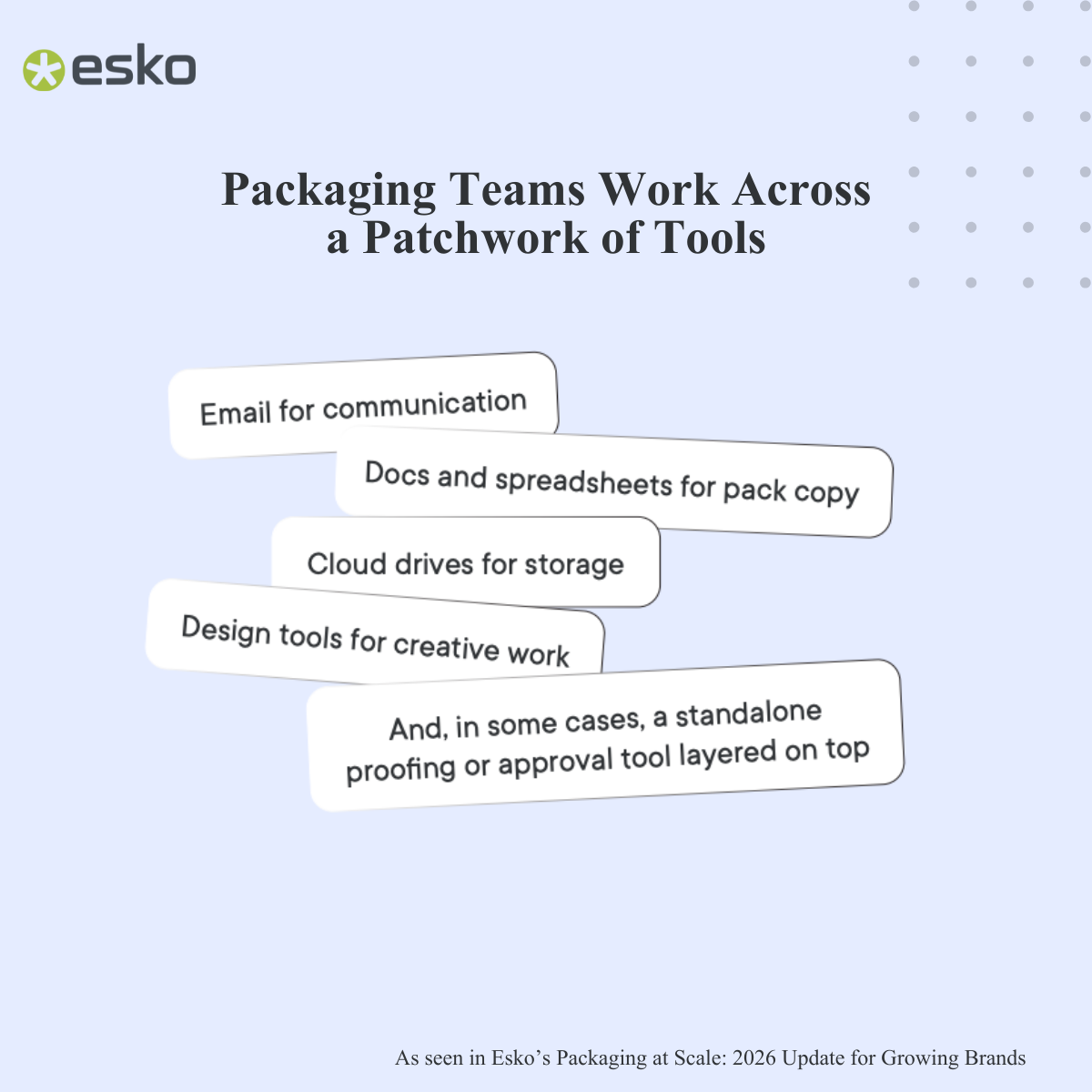
And it doesn’t help that packaging teams use fragmented tools and processes as they grow.
Growth encourages individual business units or regions to solve localized workflow problems with ad-hoc tools that don’t speak to each other. PMs start tracking status on Asana, the Design team uses Illustrator file tags, the Prepress team starts tracking proofs via email… and in all that, the single source of truth goes AWOL.
How To Fix It
- Establish a single source of truth for assets: Centralize asset tracking in a dedicated Artwork Management System instead of general project management tools.
- Standardize file naming and metadata tags: Require strict tagging by metadata like status, SKU code, and market upon file upload so assets can be filtered automatically without chasing team members.
3. Disconnected product and packaging data
And it has direct financial consequences. FDA enforcement data reveals that close to half of all food recalls in 2025 stemmed from undeclared allergens on packaging labels.
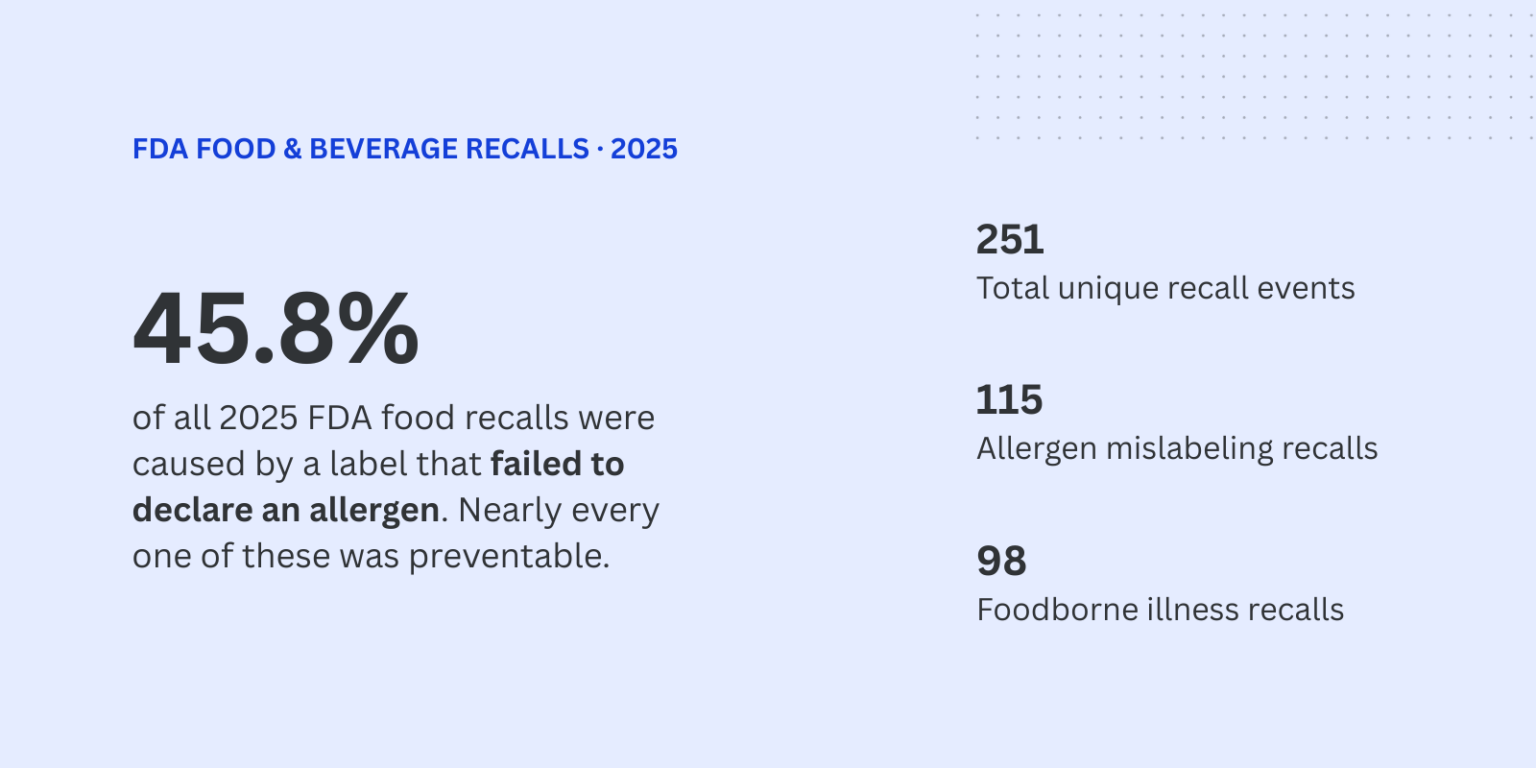
While incorrect batch blends at the factory can cause allergen mislabeling, our customers also flag another important pain point: artwork files not being updated in sync with updated product specs, as the teams and tools involved are siloed. This is a surefire way to trigger mislabeling and its associated consequences.
How To Fix It
- Integrate Specs and Artwork Management: The tools you use upstream and downstream need to speak to each other. If an ingredient deck or spec changes, your tool should automatically flag related artwork files for updates.
- Automate copy-to-artwork mapping: Use dynamic copy management tools that push master data directly into Illustrator layers, eliminating manual copy-pasting from spreadsheets.
4. Institutional Knowledge Becomes a Single Point of Failure
Most scaling packaging teams rely on individual memory:
- The prepress designer who knows offhand that a certain vendor needs a specific trap margin.
- The regulatory lead who best knows localized translation nuances for your export markets.
- The Brand Manager who knows which retailer requires a custom outer carton mark.
When that person takes leave or changes jobs, projects stall, or unwritten rules get missed.
How To Fix It
- Digitize brand and print guidelines: Build standard operating procedures, printer spec sheets, and market-specific regulatory checklists into your asset routing workflows.
- Standardize preflight checklists: Make automated preflight checks a required gate before vendor handoff.
5. Timeline Predictability Drops
The previous four breakdowns lead directly to this outcome.
When approval loops stall, asset tracking is fragmented, and specs live in siloed systems, launch deadlines become guesswork.
Project leads struggle to give accurate delivery dates to Procurement and Sales, lead times expand to cushion against potential rework, and teams spend more time putting out fires than planning upcoming launches.
Executive reporting ends up becoming unreliable too as dashboards start pulling conflicting numbers from disconnected tools. All these issues leave leadership without a clear picture of project timelines or throughput.
How To Fix It
- Audit cycle times per stage: Track duration at each phase from briefing to proofing to identify structural bottlenecks instead of guessing where delays happen.
- Establish strict change-freeze windows: Set cut-off dates after which no artwork revisions are accepted without an official scope change.
Designing for Scale Before It Breaks
Operational scale doesn’t have to mean operational friction. And it is your infrastructure that decides the difference between a packaging team that constantly fights fires and one that scales smoothly.
Here’s how Esko connects the dots across your entire packaging workflow:
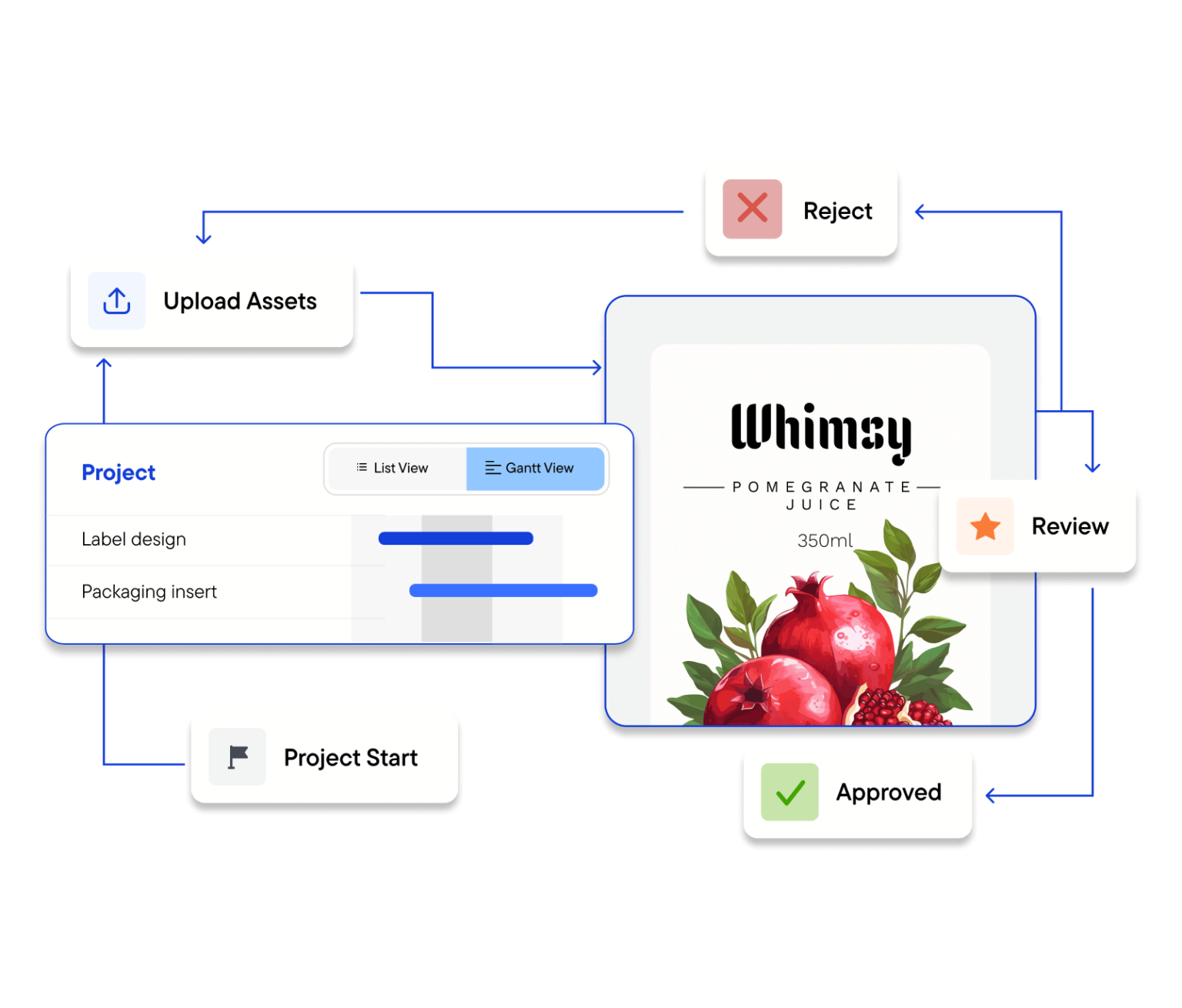
- Centralize and streamline approvals: Platforms like WebCenter Enterprise and WebCenter Go eliminate spreadsheet tracking and email reviews by creating a single source of truth for assets, routing task reviews concurrently across regulatory, brand, and prepress teams.
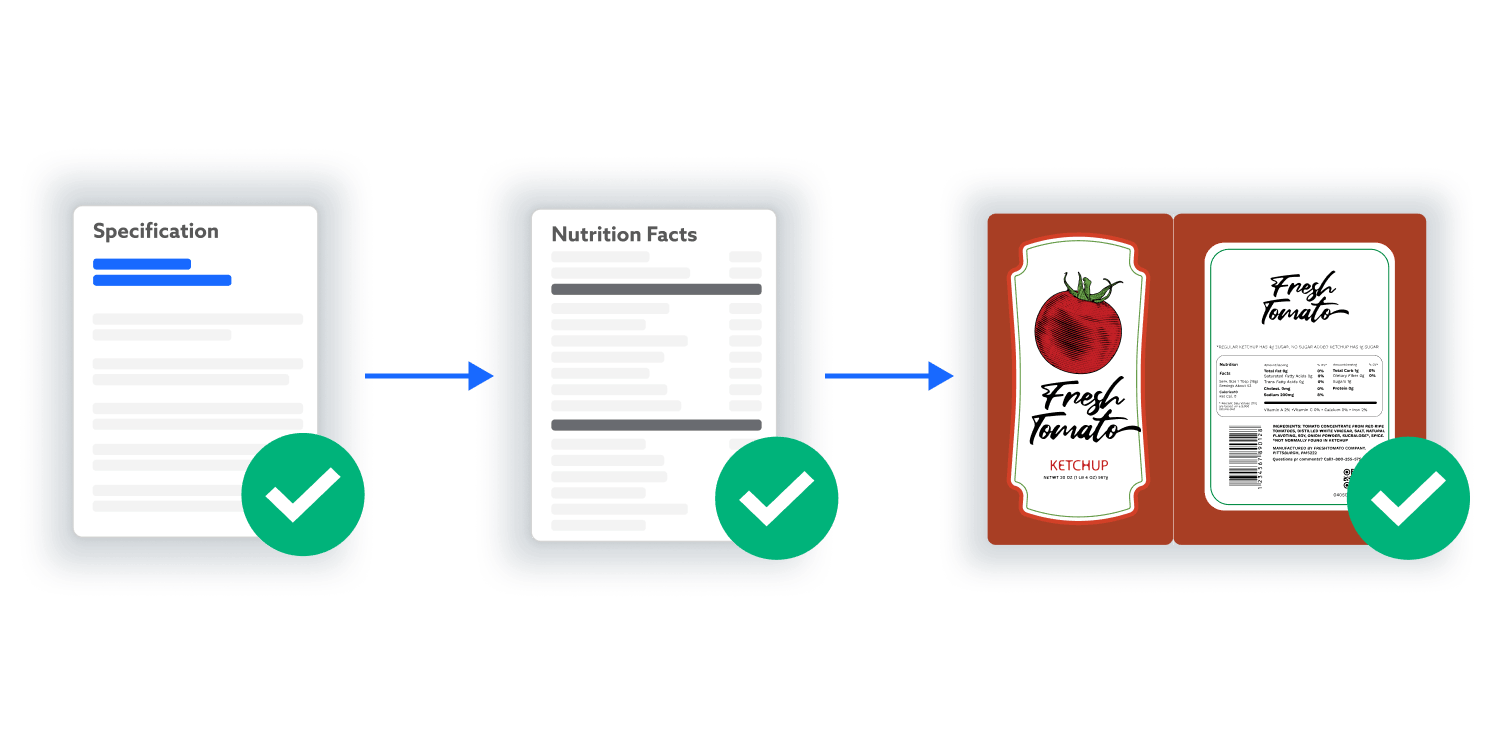
- Connect product and packaging data: Integrate Tracegains and WebCenter Go to build a traceable bridge from product data to approved pack.
- Eliminate manual copy errors: Tools like Esko Dynamic Content for Adobe Illustrator pull structured XML data directly from your PLM or database into design layers, removing risk from manual copy-pasting.
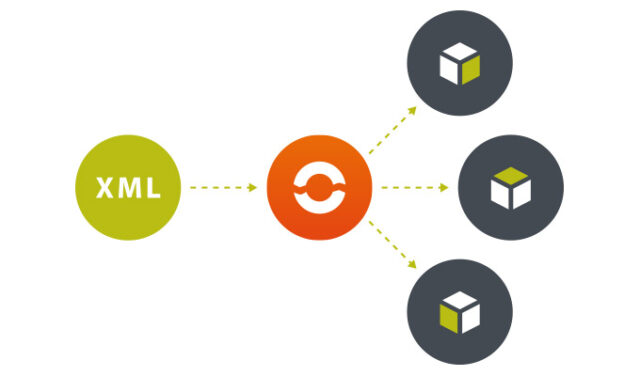
- Automate compliance and quality checks: Esko Comply automates regulatory checks against regional guidelines, while Automation Engine and DeskPack help you run standardized preflight checks (barcodes, ink limits, text sizes) before files ever reach the printer.

By moving away from siloed tools and manual handoffs, you can scale SKU count without scaling complexity. This way, you end up protecting launch dates, ensuring global compliance, and letting your packaging team focus on building great products.