
Written by Gouri Sasidharan
Content Specialist, Esko
It’s 4:47 PM on a Friday.
The product launch is next week.
And someone, yet again, just noticed that the allergen statement on the label has the wrong font size.
….and so, panic strikes!
Every packaging team would have gone through a similar situation at least once (once is underrated, I know) during a mainstream project.
And, it makes you think (again) that there has to be a better way.
Naturally, the answer leads to AI and artwork management automation now. But here, it’s not “automate everything,” and it’s definitely not “keep doing what you’re doing, just faster.”
The key lies somewhere in finding the right balance between manual and automated workflows. Knowing how to balance that can save your team weeks of rework, thousands of reprints, and more than a few Friday afternoons.
How? Let’s break it down.
But First, A Quick Gut-Check Question
Before we get into specifics, ask yourself this: Is this task rule-based or judgment-based?
If a machine can be fed exactly what “correct” looks like, such as a specific font size, a barcode symbology, or a required warning statement, it can probably check it faster and more accurately than a human squinting at an artwork for the fifth time that day.
If the task requires weighing context, brand instinct, or stakeholder relationships, that’s a human job. Probably always will be.
Keeping that in mind, here’s where to draw the line.
The Automation Tasks You Should Prioritize in Artwork Management
Routing and Approvals
How many times has a file sat in someone’s inbox for three days because they didn’t know it was waiting for them? Approval routing decides who needs to see what, in what order, and redirects it to them. It’s rule-based, repetitive, and completely automatable.
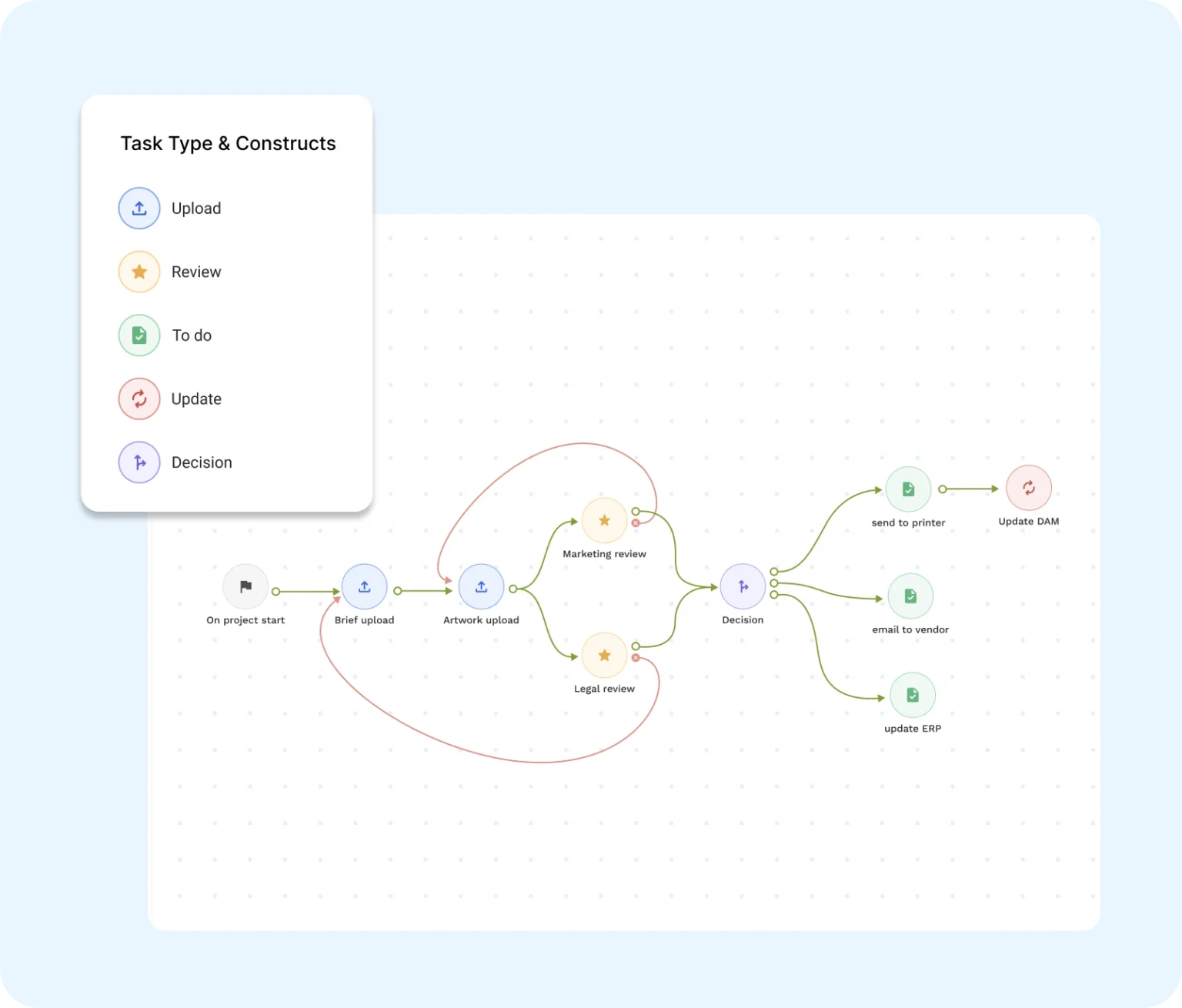
WebCenter Go lets you build both serial and parallel workflows, so the right people get looped in automatically, at the right stage. You can even set up task delegation so that when someone’s out of the office, the project doesn’t just stop, but it keeps moving.
Version Tracking and Comparison
Do you think you’re the only team that struggles with keeping track of artwork versions?
Identifying the latest file version is a common issue packaging teams face. Automating version control is a huge plus because every iteration is logged, timestamped, and traceable. This removes a whole class of “wait, which file are we looking at?” confusion.
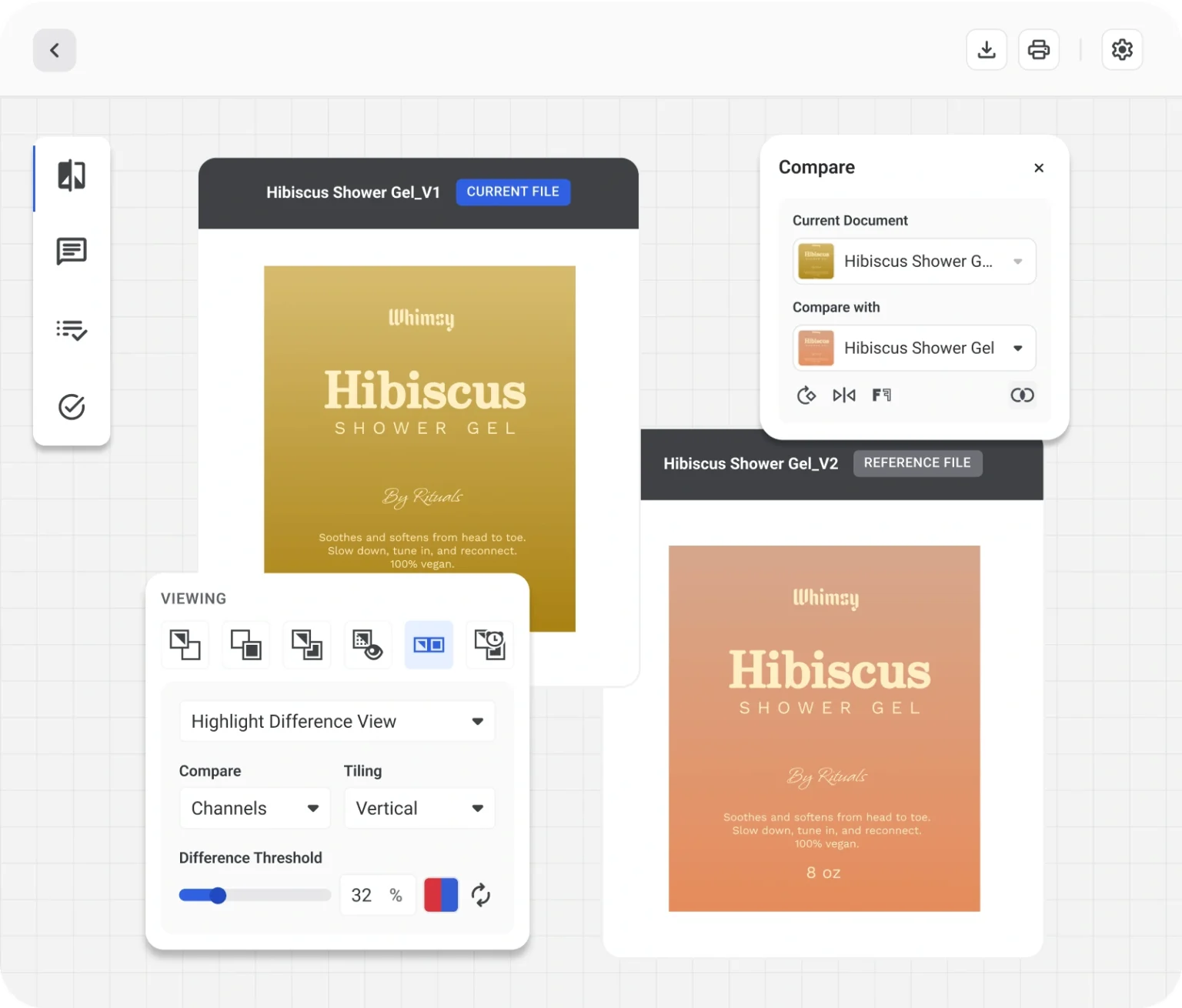
Likewise, automated artwork review workflows are especially valuable during high-volume packaging projects where reviewers are comparing multiple proofs simultaneously.
WebCenter Go’s Version Compare tool goes further. It can automatically flag differences between artwork versions at the level of copy, graphics, and dielines. This way, you don’t have to eyeball two PDFs side by side, trying to spot what changed.
Spelling and Language Checks
Imagine checking copy for spelling errors across various languages one by one, manually. It is not a good use of your precious time.
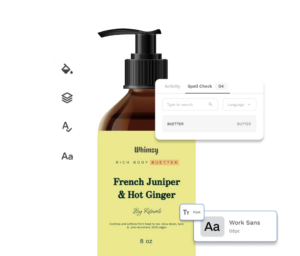
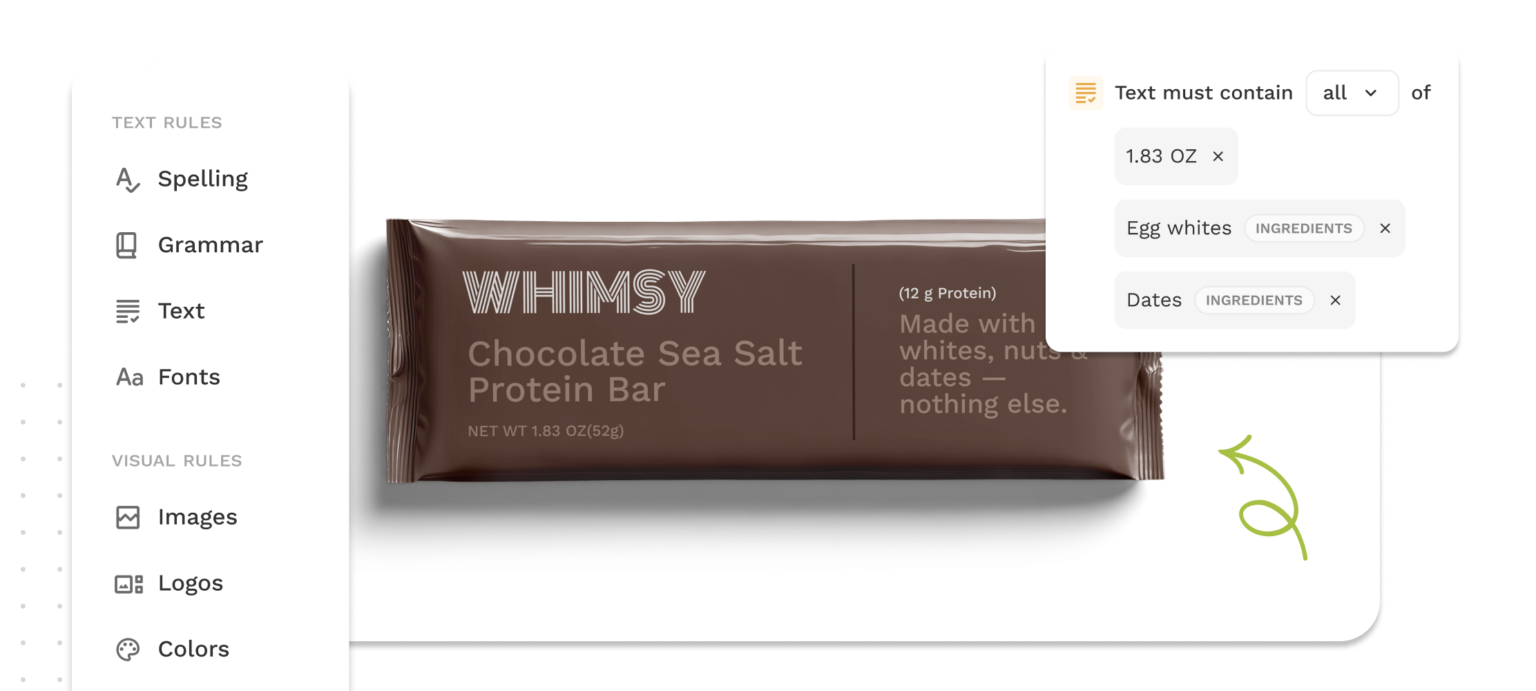
With WebCenter Go’s proofing tools, you can automatically verify spelling, grammar, and typographic specs like font family, size, and weight.
Color Analysis
It is almost impossible to spot inconsistent Pantone colors across a product range with the naked eye across dozens of files. Automated color analysis finds CMYK and Pantone discrepancies across your packaging assets, so you don’t discover the problem after the print run.
AI is already making significant impact in artwork compliance, version control, and content accuracy. The opportunity lies in connecting the dots across departments—packaging included—to drive smarter, faster outcomes. AI tools can automate design checks, identify regulatory risks, and manage digital assets more efficiently, even for teams without deep in-house tech resources. For mid-sized brands, this translates to real-time savings, reduced rework, and improved speed to shelf.
AI expert and author of AI Strategy for Sales and Marketing
Also read: Unlock the Power of AI and Automation in Packaging Artwork & Labeling
Packaging Compliance Checks
Here’s where things get interesting, and where a lot of teams are still doing this the hard way.
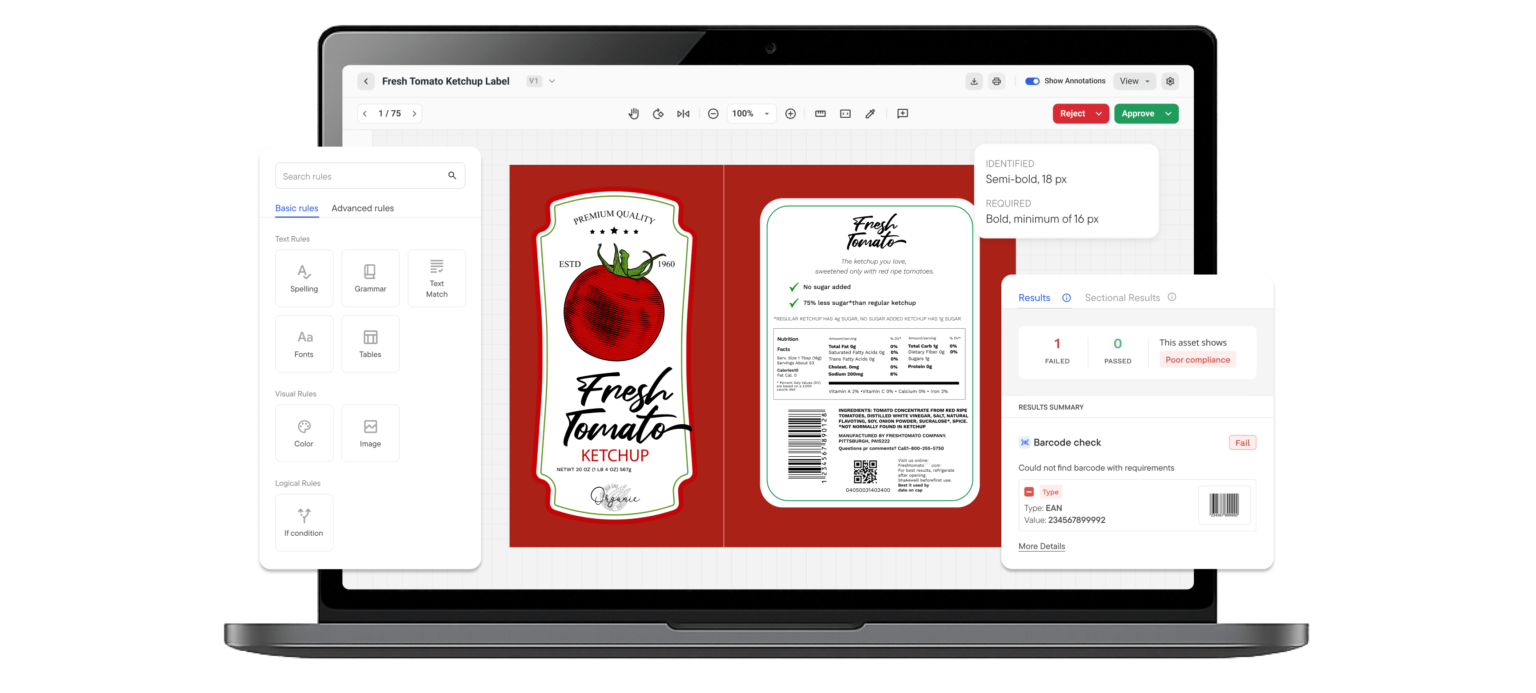
A label compliance review involves checking whether the label has the correct allergen statement, accurate barcode data, a properly formatted nutrition panel, and any required regulatory symbols, including size. It’s detailed, high-stakes work. And traditionally, it’s been done by a person or a team going through proofs line by line.
The process is obviously tedious and so is the error rate that comes with it, because humans get tired and miss things, especially on the 8th proof of the day.
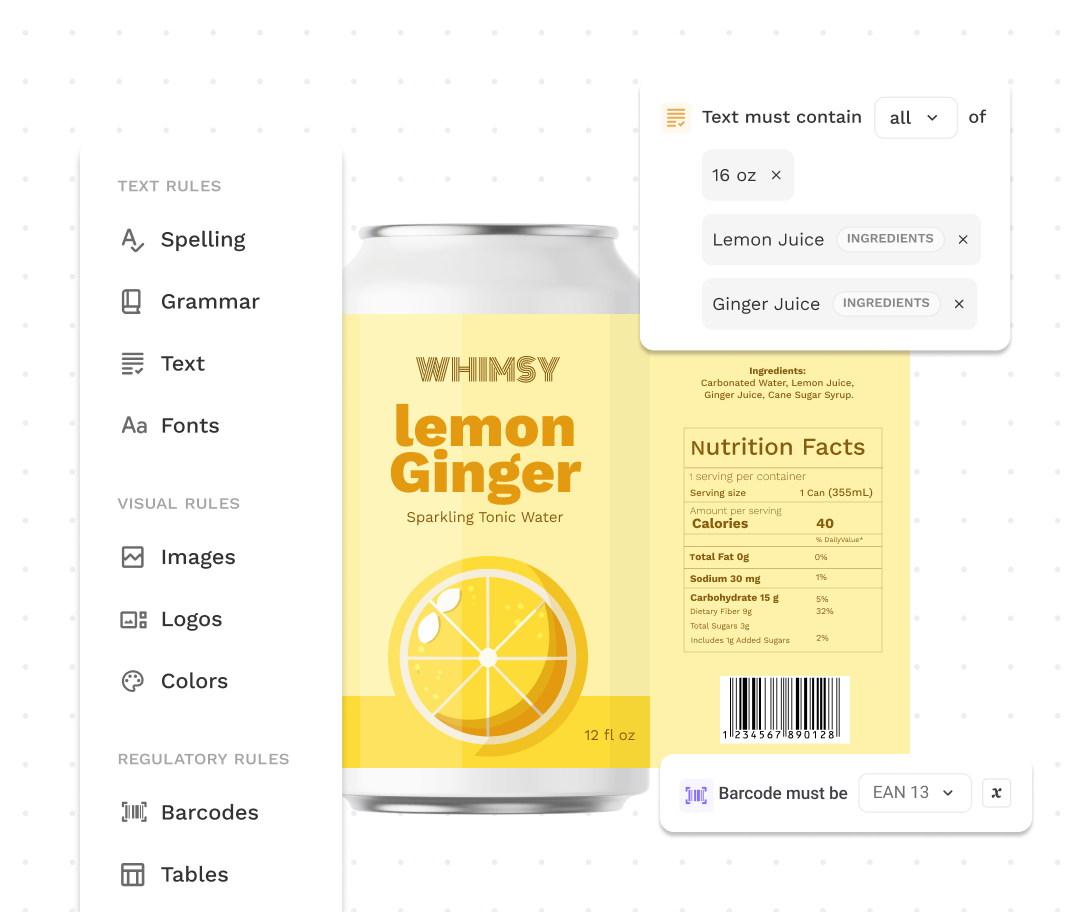
Comply is built to take this off your team’s plate. It’s AI-powered packaging compliance software checks your packaging artwork against the packaging and brand rules you define. It includes copy and claims, logos and symbols, formatting, and 1D/2D barcode verification.
The best part is that it also runs as a step inside your WebCenter Go workflow, identifying artwork mismatches and flagging issues directly that need your team’s attention. And by team, I mean who qualifies as human beings, if you know.
What Should Still Stay Human-Led
Building Your Packaging Brief and Requirements
Although Comply automates the checking for you, someone must define the requirements first.
They include,
- Which markets require which warning statements?
- What does your brand style guide say about font weights for regulatory copy?
- What are the allergen formatting requirements for the EU vs. the US?
These are judgment calls that require regulatory knowledge, brand expertise, and often legal sign-off.
With Comply, you do it once (or update it when requirements change), and then Comply reuses the information across every SKU, project, and market. You write the rules; the machine applies them thousands of times. It’s a matter of teamwork 😉.
Reviewing Compliance Results
Here’s something people might miss during the conversations around automation: automating issue detection is not the same as automating the decision about what to do with it.
When Comply flags a mismatch, that’s where your expertise is needed critically. Maybe the AI flagged a formatting difference that’s actually acceptable in context. Maybe it caught something genuinely critical. Either way, someone needs to take a look at the result, add a contextual annotation, loop in the right stakeholder, and decide on the next steps.
This is a much better use of a human’s time than looking at the raw proof, trying to find the problem in the first place. While the machine does the scanning, the human thinks. That’s a good division of labor.
Creative Direction and Brand Decisions
No one’s automating the decision about whether the new packaging feels right for the brand. Color palette choices, layout hierarchy, and the emotional tone of the visual require taste, brand knowledge, and often a fair amount of back-and-forth between creative and marketing teams.
Stakeholder Relationships and Escalations
When a supplier pushes back on a spec change, or a regulatory team in a new market has concerns about a label claim, that’s a conversation. Your workflow software can notify people, but it cannot negotiate with them. Relationship management and escalation handling stay human.
Final Sign-off
There’s a reason e-signatures and audit trails exist. A human being should be accountable for the final “approved” on a piece of packaging before it goes to press. Automation can get you there way faster and more accurately, but the final step is someone putting their name on it.
What the Right Mix Actually Looks Like
The best packaging teams automate selectively and see how efficient their packaging projects are.
This is what effective manual vs automated workflows look like in modern packaging operations:
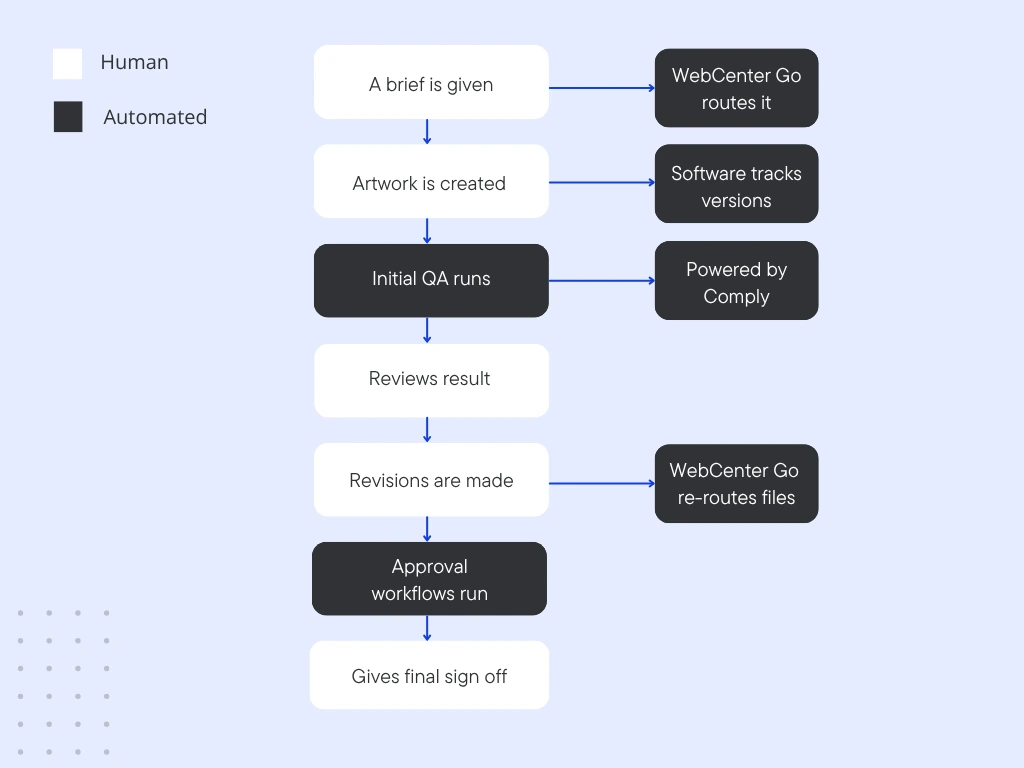
- A brief comes in: Humans create the brief and upload it, which is then routed automatically.
- Artwork creation: Again, your designers work on it and meet the brief. Meanwhile, WebCenter Go, or any other strong artwork management tool, manages file versions.
- Initial QA runs: Comply checks copy, formatting, barcodes, and symbols against your packaging requirements.
- Humans review the results: The respective stakeholder(s) check the flagged issues, add annotations, and decide what needs fixing.
- Artwork revisions: Once the feedback is received, designers make edits. Here, WebCenter Go tracks the latest version for you and re-routes for review.
- Approval workflows run automatically. The right people get notified at the right stage, instantly.
- Final sign-off: No matter how much automation plays a role here, the ultimate decision is made by you and your team.
-
- What’s automated here: Repetitive, rule-based checking and routing.
- What’s manual here: Decision making process, creative work, and accountability.
The Hidden Cost of Over-Automating and Under-Automating
Over-automating means trying to take humans out of places where judgment matters. You end up with a system that technically passed all the automated checks but still somehow shipped a label with the wrong net weight claim. Because the rule wasn’t written quite right, and no one reviewed the edge case.
Under-automating means your best people spend their days trying to find the font errors on PDFs. There are higher chances of them burning out and missing things. They’re not doing the high judgment work they were actually hired to do.
The sweet spot is a team where automation handles volume and vigilance, while humans handle decisions and communication.
A Practical Starting Point
If you’re not sure where to start, here’s a simple question: What’s the task your team wastes the most time on that a machine could theoretically do?
For most packaging management teams, it’s one of three things: chasing approvals, manually checking compliance, or reconciling versions.
All these are very automatable.
WebCenter Go is built exactly for this. It’s a packaging management platform for growing brands that handles complex workflows, proofing, version comparison, and, with Comply as an add-on, runs AI-powered compliance checks. It’s fast to implement, and no heavy IT setup is required.
Curious how this would work for your team? We’ll walk you through it.
Frequently Asked Questions (FAQs)
1. Which packaging tasks should be automated?
The best candidates for automation are repetitive, rule-based tasks that slow teams down or introduce easy errors. This usually includes approval routing, version tracking, artwork comparison, barcode verification, spelling checks, and packaging compliance validation.
Tasks involving judgment, creative direction, or stakeholder decisions should still remain human-led.
2. Can AI check packaging compliance?
Yes, especially for rule-based packaging checks.
AI-powered packaging compliance tools like Comply can automatically verify packaging artwork against predefined brand and regulatory requirements. This includes things like allergen statements, barcode validation, mandatory symbols, formatting consistency, and approved claims.
However, human reviewers still play an important role in defining the rules, reviewing flagged issues, and making final compliance decisions.
3. What are the risks of manual artwork review?
Manual artwork review becomes increasingly risky as packaging complexity grows.
Review fatigue can cause teams to miss small but critical issues like incorrect ingredient declarations, outdated claims, missing symbols, or formatting inconsistencies. These errors can lead to compliance issues, packaging recalls, delayed launches, and expensive reprints.