

Table of Contents
- Packaging is a Connected Chain of Decisions
- The Employee Who Knows How Everything Really Works
- Create One Workflow Ecosystem, Not One System that Does Everything
- Check the Process While People are Still in the Moment
- Treat Implementation as the Starting Point
- Make the Most Valuable Work More Prevalent
- Speed and Quality Can Improve Together
After years of working with brands on packaging processes, I have learned that a project rarely takes months because someone needs months to create or revise the artwork.
Rather, packaging timelines are created by both how long individual tasks take and how long information, decisions, and corrections wait among people, departments, and systems.
Automation and AI can significantly reduce the time required for specific activities, from interpreting change instructions and updating artwork to performing quality and compliance checks. This task-level acceleration is essential. But even work that takes minutes can languish in a queue for days or more.
For this discussion, the process begins with the packaging brief or change request and continues until the brand is confident in releasing the approved artwork for production. Depending on the company, project closure may also include confirming that the file prepared by the converter or printer remains faithful to what the brand approved. Most of the opportunity, however, lies before that final production confirmation.
Moving from months toward days therefore requires both faster execution of individual tasks and less waiting between them. This article focuses primarily on the second, and often less visible, part of this equation.
Packaging is a Connected Chain of Decisions
Packaging requires multiple departments to contribute specific information and make interconnected decisions.
The ownership and path of that information vary by company and industry. Regardless of how responsibilities are divided, artwork depends on upstream information and decisions being accurate, complete, and reconciled before work proceeds.
A food product may appear to be gluten-free, for example, and marketing may identify an opportunity to communicate that benefit on the package. Before making the claim, the company may need to review the ingredients and confirm their sources meet the applicable requirements. This is often more complicated than simply reading the ingredient list.
The claim must remain truthful, accurate, and supported because packaging regulations exist to protect the end user. The artwork cannot move forward until the appropriate experts confirm the package content. Here, the delay is not caused by design or production. Instead, it comes from completing the work required to make a responsible decision.
This pattern appears throughout the packaging chain. Different departments use different systems, terminology, templates, and processes. No single application will replace every PLM, DAM, regulatory, content, design, and enterprise platform because these systems serve different purposes.
In many companies, people have become the integration layer between these systems.
People transfer information, interpret inconsistencies, compensate for missing inputs, and translate one department’s requirements for another. They are far better than traditional system integrations at handling ambiguity. But every human handoff also introduces another queue, interpretation, and opportunity for inconsistency.
The Employee Who Knows How Everything Really Works
Almost every company has a tenured employee who understands how the packaging process actually operates, not simply how the procedure says it should operate.
People ask this person what happens next, who must approve something, why a decision was made, and where information originated. Their knowledge keeps work moving across gaps in the formal process.
I have seen several companies become motivated to implement a packaging workflow system because one of these employees was preparing to retire or leave. If the organization acts while that person is still available, it has an opportunity to capture task ownership, routing, responsibilities, and process knowledge before it disappears.
Create One Workflow Ecosystem, Not One System that Does Everything
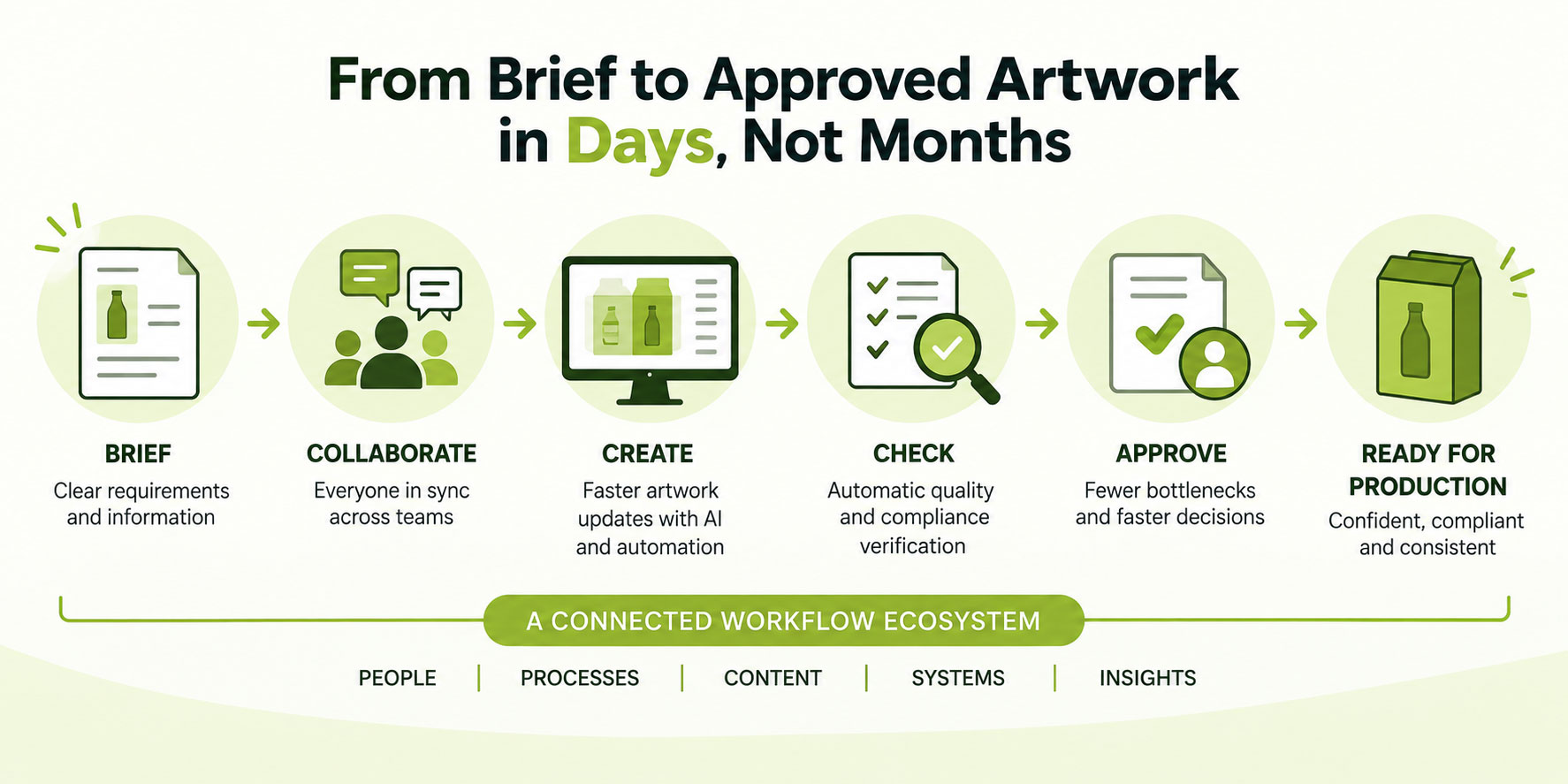
Because packaging depends on multiple disciplines and systems, brands need a connected workflow ecosystem rather than an unrealistic promise that one application will replace every purpose-built solution.
WebCenter provides the orchestration layer for packaging work. Its workflows, modules, and integrations connect people, tasks, packaging information, reviews, approvals, and relevant enterprise systems.
This gives an organization a consistent place to coordinate the process while allowing other systems to continue performing the work they do best.
The result is greater visibility and less dependence on people manually transferring information among departments:
- Required fields prevent essential information from being omitted.
- Tasks are routed automatically.
- Metadata and process conditions can be checked.
- Teams see where work stands and who is responsible for the next action.
Where structured packaging content is used, more advanced implementations are able to apply impact analysis to identify related work when a managed phrase, logo, symbol, graphic, or barcode changes.
Check the Process While People are Still in the Moment
One of the most important opportunities is reducing the time between identifying an issue and receiving feedback about it.
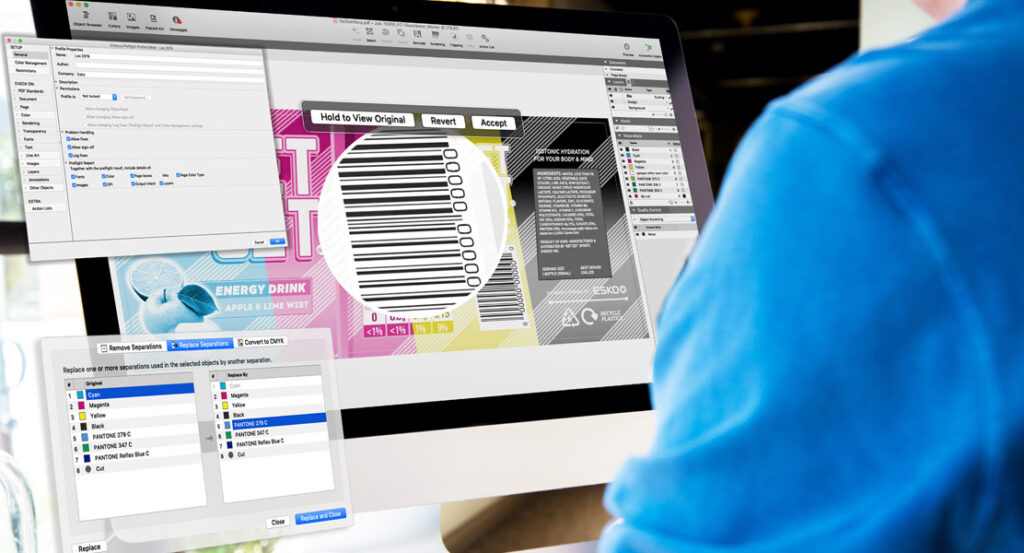
Esko’s Verify Comply checks uploaded artwork against configured rules. These rules confirm required statements are present, text meets defined size or placement requirements, and appropriate warnings appear when relevant. For example, checking for required allergen information based on the artwork’s ingredients.
Verify Comply also compares the artwork with expected reference content. AI helps identify content on the artwork, extracts reference content from project documents or connected content sheets, and evaluates whether the artwork follows the configured requirements.
Results can be returned within minutes.
That speed matters because the designer or artwork operator may still have the file open. The project and the reason for the change are still fresh. The person can review the finding, make the correction, and upload a new version before moving on to other work.
Without that immediate feedback, a straightforward correction can become another handoff. Someone identifies the issue later, sends it back, and waits for the original person to return to the project. Across functions and time zones, a correction requiring minutes of effort can add days of elapsed time.
Continuous checking extends beyond artwork content. Workflow automation can verify required fields, metadata, the selected die line, task completion, and whether the process is progressing as expected.
The objective is to identify missing or incorrect conditions while the responsible person is still engaged, not several stages later.
Treat Implementation as the Starting Point
One of the most consequential implementation mistakes is assuming the initial version of a workflow will solve every process challenge and require little further attention.
Version one is a starting point. It should improve visibility, coordination, and control, but it will also reveal complexities and inefficiencies that were previously hidden inside email, spreadsheets, personal workarounds, and tribal knowledge.
A company may choose to begin by digitizing much of its existing process. In other cases, it may be better for it to redesign parts of the process before they are implemented. Digitizing the current workflow is one possible route to a workable starting point, not a universal recommendation.
The important question is what happens after launch.
One reason some companies realize less value from workflow transformation is they fund and support the initial implementation but do not maintain the ownership, attention, and investment required to improve it. The problems uncovered after launch may be better than the problems the company had before, but they are still problems that need to be addressed.
The most advanced companies treat workflow transformation as a continuous-improvement program. They secure executive sponsorship, involve the people performing the work, allow time for testing, and remain flexible when implementation reveals requirements they did not initially understand.
They also use the platform for its strengths rather than forcing it to reproduce every historical behavior.
Thus, the first workflow implementation should be a starting point, not the final destination.
Make the Most Valuable Work More Prevalent
Discussions about AI and automation often focus on whether technology will replace people. This misses the point as well as the more immediate opportunity for packaging.
For example, ask designers what they do, and they will talk about creating packaging. Ask regulatory professionals, and they will talk about interpreting requirements and protecting the organization.
Neither rarely begin by describing the hours spent copying information, transferring data, searching for documents, chasing approvals, or answering routine questions.
Yet those administrative activities consume a substantial part of their working day.
Workflow automation, continuous checking, and agentic artwork capabilities can take on more of these time-consuming administrative duties. But people will remain responsible for design choices, regulatory interpretation, difficult exceptions, and final approval.
As such, the future of packaging work is not people disappearing from the process. It is people spending more of their time doing what they already consider most valuable.
Speed and Quality Can Improve Together
Reducing packaging time is about using automation to accelerate the work itself while replacing waiting, ambiguity, repeated administration, and late discovery with connected information and immediate feedback.
A connected packaging ecosystem reduces routine effort, improves consistency, and helps prevent errors from advancing through the process. This creates value through employee productivity, fewer revisions, less rework, and lower exposure to serious packaging mistakes that could affect consumers, damage the brand, or contribute to a withdrawal or recall.
Packaging is not a single discipline. It is a connected system of decisions and capabilities requiring workflow, content, artwork, verification, integration, and human expertise to work together.
When these elements operate as an ecosystem, brands address both sides of packaging time compression: how long the work takes and how long the work waits.
See how WebCenter connects packaging workflows, people, and processes to keep work moving.