Shruti Ramanujam is a content leader who writes for SaaS, marketing, and packaging audiences.
Every artwork management vendor will tell you their platform is right for your team. But with an entire universe of packaging management software out there — we ourselves make three! — how do you actually know which one is the right fit for you?
A small brand approving artwork over email, a mid-sized brand managing thirty launches a year, a global CPG company running thousands of SKUs across a dozen markets, and a packaging or label converter processing hundreds of jobs a week are not solving the same problem. If we handed them all the same tool, most of them would be stuck fighting it instead of using it.
Not every tool will be the best fit for your organization just because it is labeled artwork management software. This guide maps what to look for at each stage, feature by feature, regardless of what you end up buying.
Stage 1: Small Brand, Approving Artwork Over Email
You probably have a lean team, low SKU volume, and light to moderate compliance needs. Only a handful of people — a founder, a marketer, a designer, an agency, a printer, and occasionally a regulatory consultant — touch a piece of artwork before it ships.
Your main goal should be getting out of scattered feedback, unclear versions, and last-minute print surprises with a minimum viable artwork workflow.
Your Checklist for This Stage
Whatever you pick, even if it’s a project management tool, make sure it covers:
A central place to store packaging files
Clear version history
Simple approval routing
A record of who approved what
Clean handoffs for printers or retailers
If you’re going niche with a lightweight proofreading software, make sure it also includes:
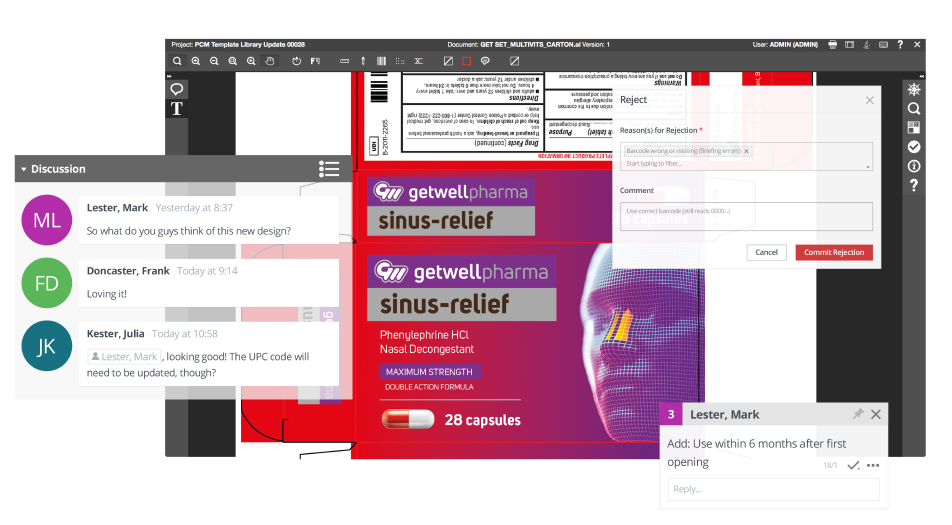
Shared commenting and annotation
External reviewer access for agencies, printers, and consultants
Barcode validation, if you sell through retail
Signs You've Outgrown This Stage
Generic project management tools unfortunately do fail packaging teams. A lot of our customers who had to migrate from a generic tool to one of our artwork management software have listed triggers such as:
Recurring version confusion
Launching more SKUs than their then process could track
Agencies and printers working from different files
Entering a regulated category for the first time
One or two of these, and lightweight review is probably still fine. Several at once, and you’re moving from simple proofing into artwork lifecycle management.
It is commonly assumed the current tech stack can also handle packaging and labels. However, some intricacies related to packaging and labels require dedicated and specialist technology aimed at solving packaging related challenges in the workflow.
Jan De Roeck
Director – Industry Relations & Strategy, Esko
Stage 2: Mid-sized Brand, Approvals Still Running Through Email
You’re a mid-sized brand that’s rapidly growing, and right now, getting artwork approved means chasing people across email and messaging software like Slack and Teams.
What to Check For
Whatever tool you land on, don’t sign until it covers:
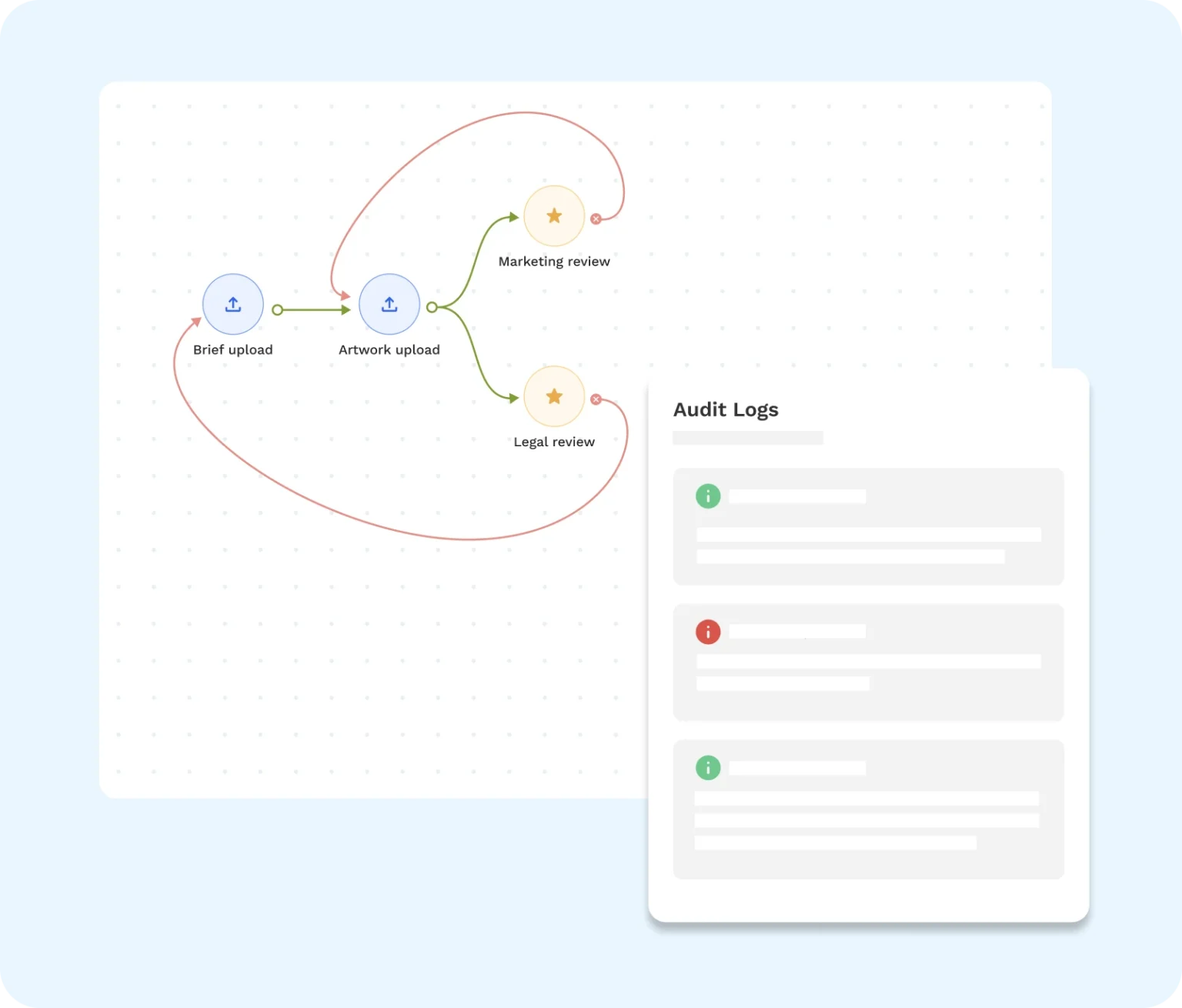
Configurable serial and parallel approval workflows.
A way for agencies, print vendors, and regulatory reviewers to participate without buying them a full license each.
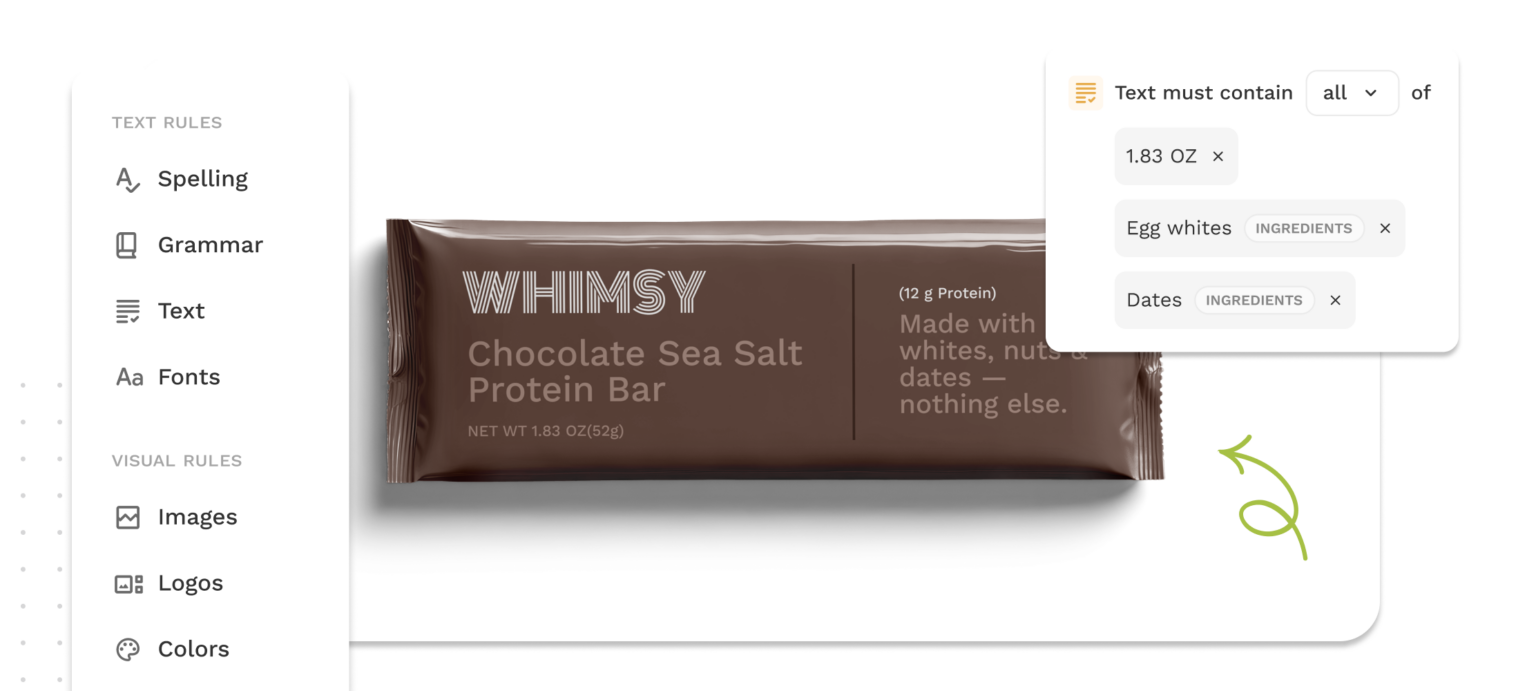
Automated compliance checks, especially if you operate in a highly regulated market.
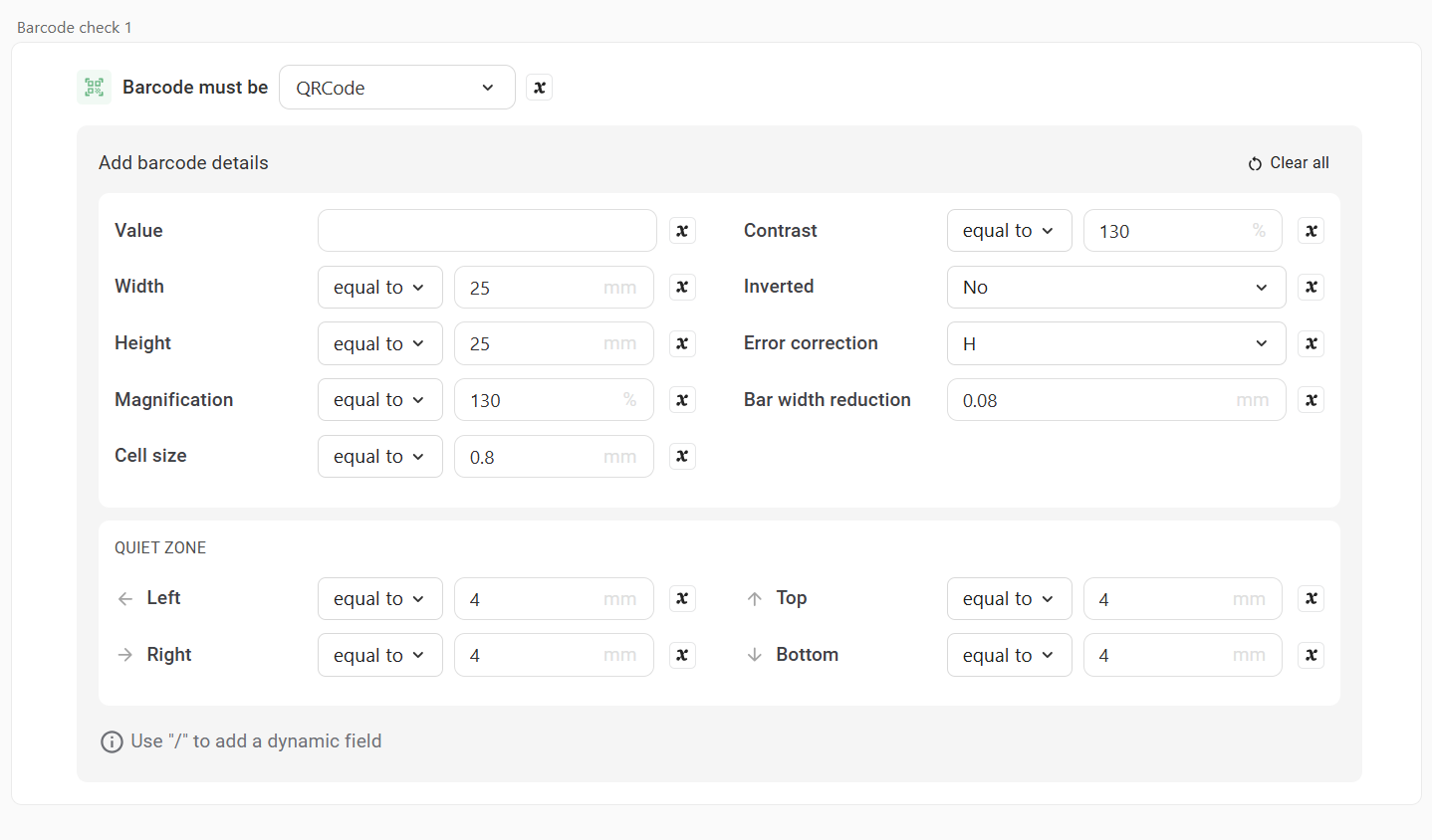
Barcode validation.
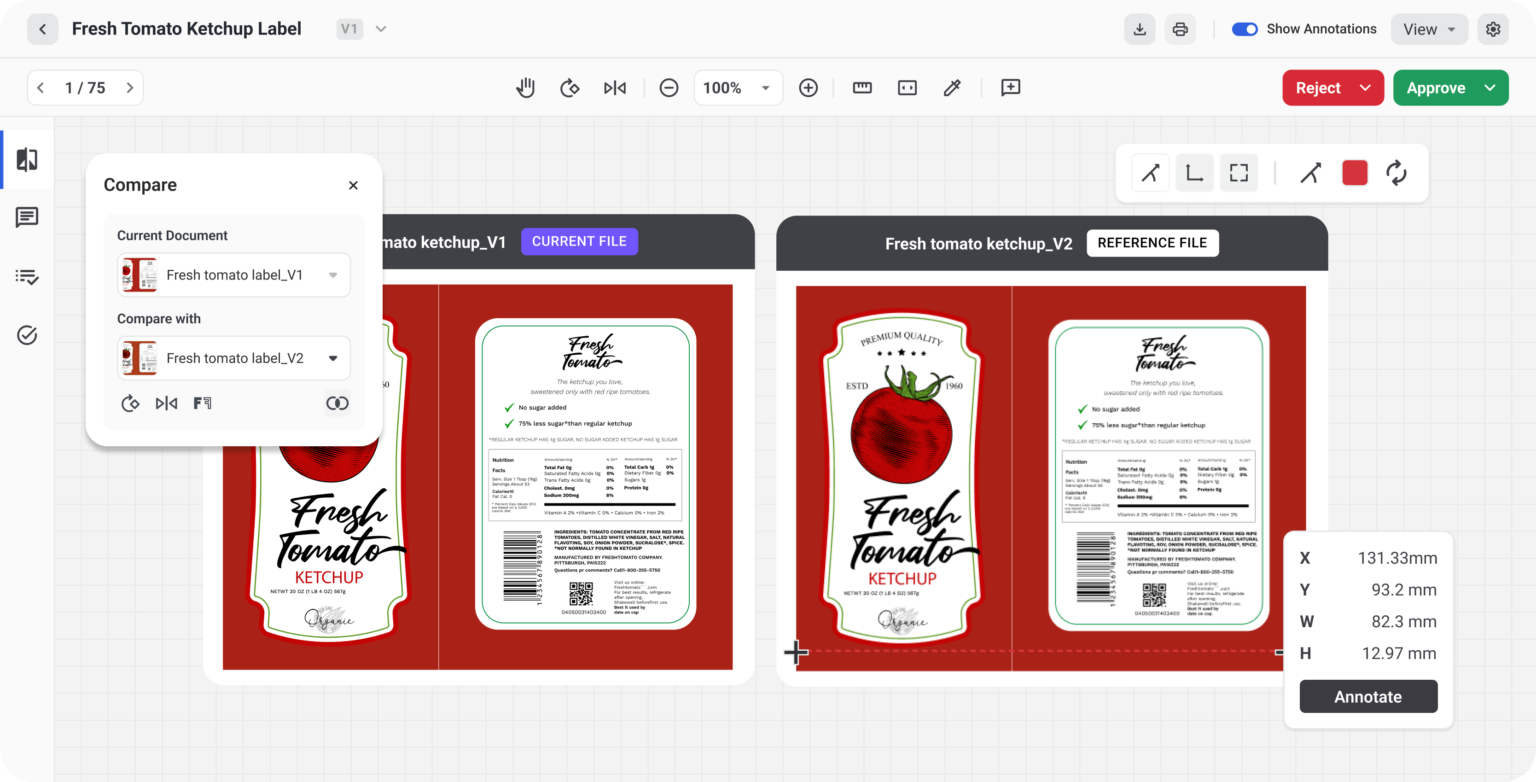
Version comparison granular enough to catch pixel- or barcode-level changes.
Configurable content checks by category, market, and claim type if your compliance exposure varies across the portfolio.
An implementation timeline measured in days or weeks.
If you’re a regulated life sciences team (pharma, medical device, or similar) at this stage, look for a controlled, traceable review process, validation-supporting documentation, version certainty, and predictable update management alongside the faster approvals.
Stage 3: Enterprise, Thousands of SKUs Across a Dozen Markets
You’re a global brand with a packaging operation that spans multiple markets, multiple regulatory regimes, and a tech stack that already includes SAP, Oracle, or the likes. At this scale, the problem stops being simple collaboration as is usually the case with growing brands. Standardizing workflows across regions, brands, agencies, and regulatory teams while still allowing local-market exceptions becomes a bigger challenge to surmount.
What to Check For
At this scale, make sure any vendor you evaluate covers:
Multi-country compliance rule support.
Native integration with your ERP, PLM, PIM, and DAM systems
Workflow configurability that can model your complex org chart across regions and business units.
Validated workflows, electronic signatures, and role-based permissions if you operate in pharma, medical device, or infant nutrition.
Dedicated professional services for implementation.
A track record of holding up at scale over years.
Stage 4: Packaging or Label Converter
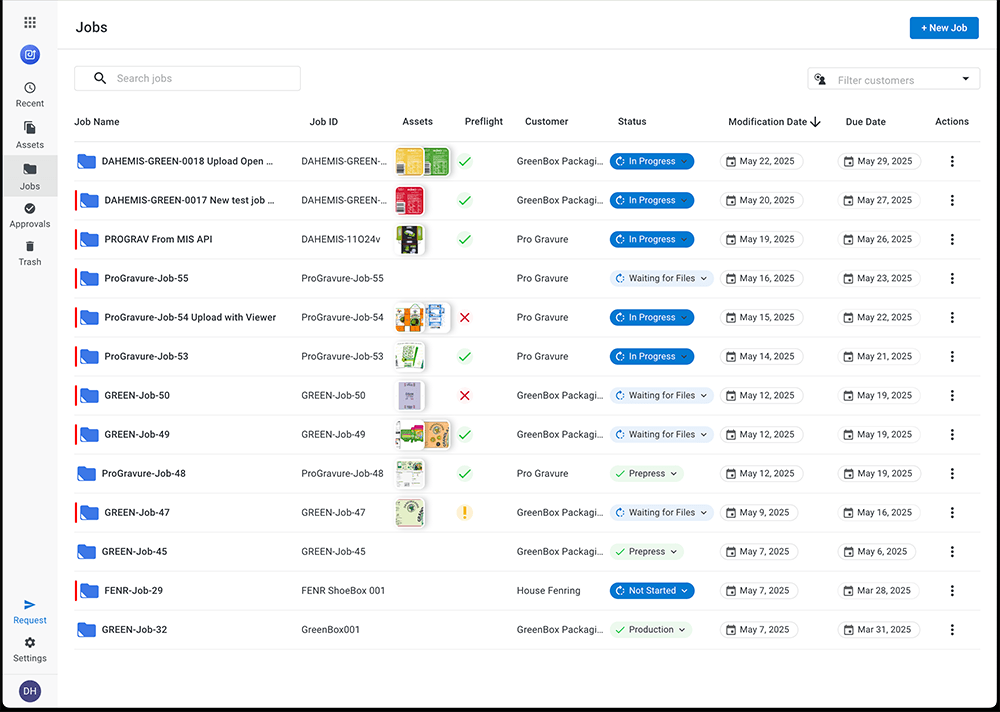
You’re a label or packaging converter, and your CSRs spend their day chasing files, vague instructions, corrected files from customers resolving graphical or print issues, and version confusion across dozens or hundreds of customer accounts. You’re also juggling many clients, concurrent jobs, and approval histories, which means client data separation matters as much as approval speed.
What to Check For
For converter-side tools specifically, look for:
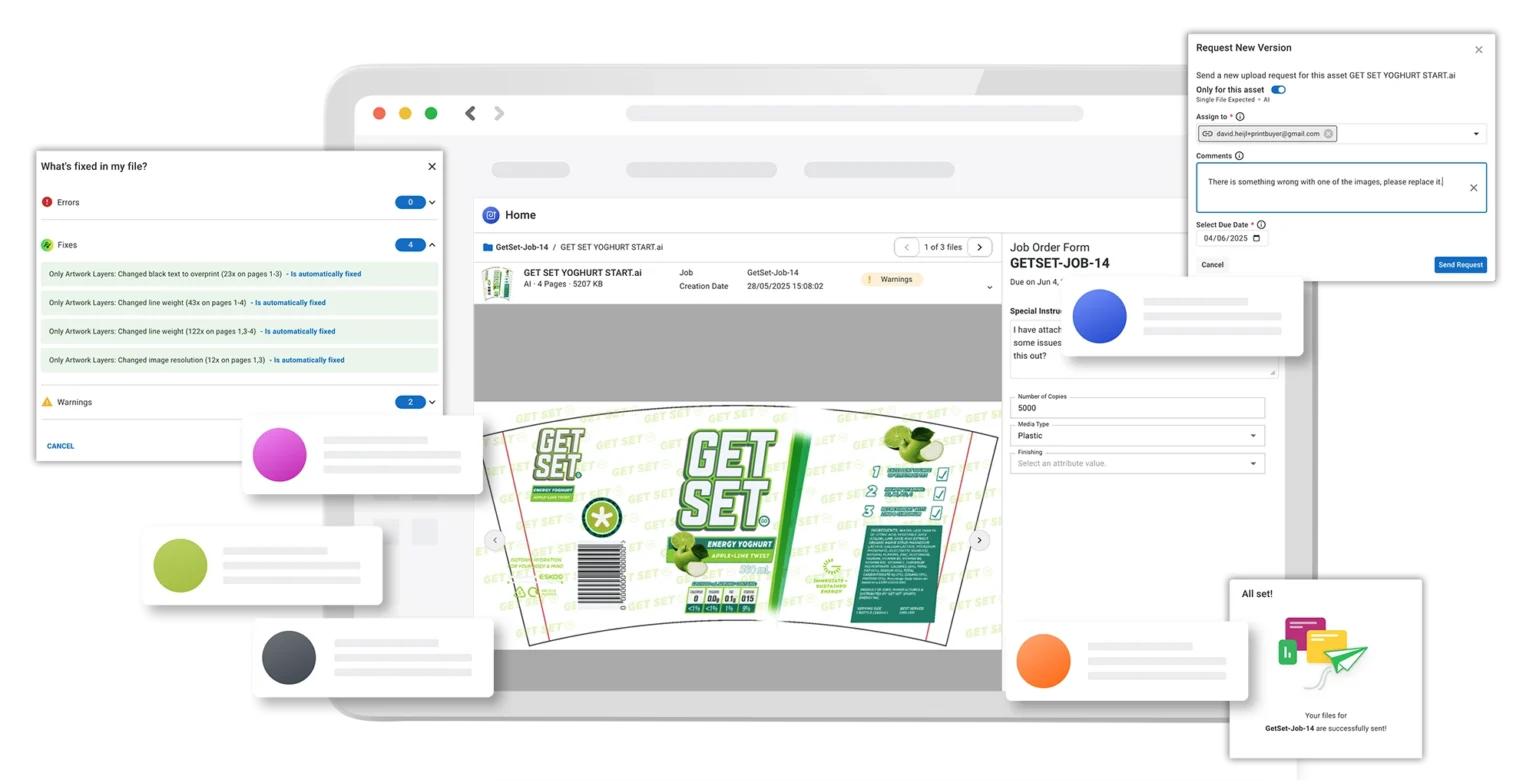
Job intake customers can use without training or a new login to remember.
Automated preflighting.
Native integration with your MIS and prepress automation tools.
Templated job specs to cut down on back-and-forth at intake.
Multi-client security, with strict separation of client files, approvals, and specs so no customer sees another’s content.
Fast deployment.
Visibility across every customer account and job status in one place.
Buying Criteria to Keep in Mind
A few things hold true across every stage, whether you’re evaluating Esko or anyone else.
Version Control is Table Stakes
Visual comparison is the differentiator.
Every tool has version history. But how do these surface during review? Is it buried in Settings? Or do you get a side-by-side visual comparison at the pixel level? And which of these two can help you best with your job?
Automated Content and Compliance Checking
Most platforms offer manual checklists for compliance checking. A few (like Esko Comply) offer rule-based automated checks. Look for packaging compliance features that let you review content for the right claims, declarations, nutritional information, and barcodes, and help you go to market error free.
Compliance Ownership
Who configures the rules to review pack content, you or the vendor? Some platforms ship with pre-built rules you adapt. Others offer full flexibility and allow your team to build the rulebook from scratch. And others require paid professional services every time a rule needs to change. This answer affects both time-to-value and long-term maintenance burden.
Barcode Validation is Underweighted
Checking symbology, encoded data, quiet zones, contrast, and magnification should be a baseline requirement for any brand in food, beverage, or pharmaceutical packaging.
Audit Trails are Non-negotiable in Regulated Categories
Ask the vendor if they can export a timestamped, named record of every approval decision on a specific artwork version without manual steps. If the answer involves manual assembly, treat that as an audit risk.
ERP, PLM, PIM, And DAM Integration Matters Exactly as Much as Your Source-of-truth Architecture Demands
If ingredient data, claims, translations, or specs originate in one of those systems, a disconnected artwork tool creates a second source of truth someone has to reconcile by hand. If that content still lives with a small group of people and a small portfolio, you may not need deep integration the way global enterprises do.
And if you’re evaluating converter-facing software…
Client and Job Intake Experience Matters
Ease of onboarding is often the difference between adoption and clients reverting to email. Look for job intake customers can complete without training or a new login to remember, and markup tools simple enough for non-technical reviewers to use without a walkthrough.
Multi-Client Security is Non-Negotiable
Job files, approval history, specs, and pricing-sensitive information need strict separation between customers. One client should never see another client’s job, files, or specs, even by accident.
Questions to Ask Any Vendor Before You Sign
And yes, ask us these too.
How long does implementation actually take for a team like ours?
Ask for a reference customer in your specific industry and company size. Vendors have an incentive to present the shortest timeline they’ve ever seen while a reference customer will give you the real one.
Who configures the compliance rules, us or you?
The answer determines both time-to-value and who’s on the hook when a regulation changes.
Can external stakeholders review and comment without a paid license?
If your agency, print vendor, customer, or consultant regulatory reviewer needs a seat to participate, factor that into the total cost.
Can you export a full, timestamped approval record for one artwork version, without manual assembly?
If it takes manual steps to reconstruct, that’s a risk in an audit.
What does support look like after onboarding?
Ask for specifics on SLAs, support tiers, escalation, and what happens when something breaks during a critical launch cycle.
Is pricing based on users, SKU volume, modules, or client seats?
Each model scales differently. Know which one you’re signing up for.
What happens when we grow?
Ask what changes when you double SKU volume, add a regulated category, enter a new market, or need ERP integration you don’t need today. The processes that work at 50 SKUs break at 200. Make sure the software, and the vendor, can grow with you.
Where Esko Fits
Now that you know what to check for at each stage, here’s where our own software fit.
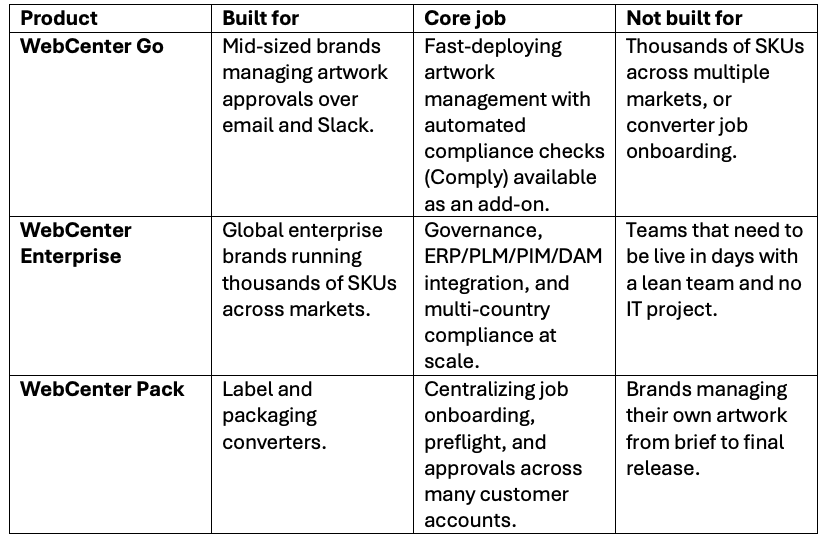
WebCenter Go for Mid-Sized Brands
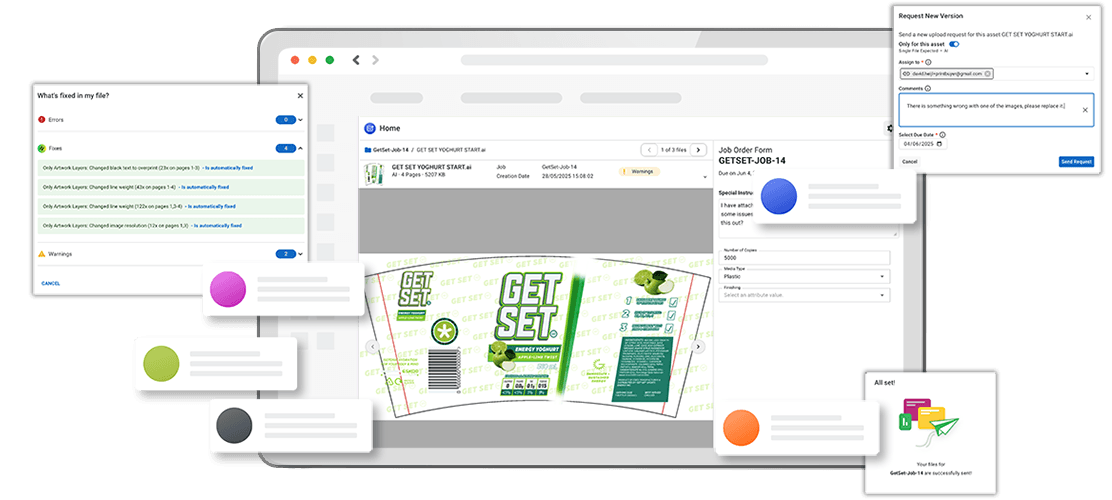
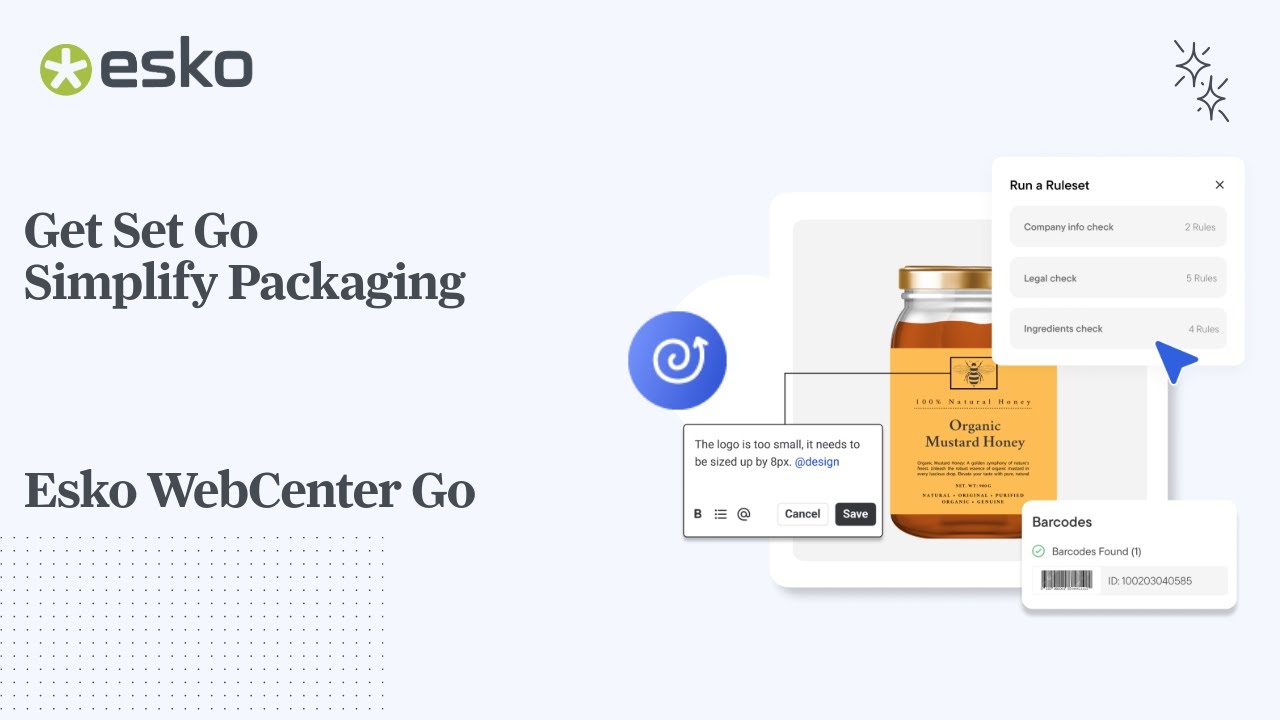
WebCenter Go is Esko’s artwork management platform for growing brands that want enterprise-grade compliance and workflow control without an enterprise-grade implementation. Comply, available as an add-on, gives you flexible, AI-powered content reviews to check for allergens, symbology, claims, and more. Teams using WebCenter Go have reported approval cycles dropping from four weeks to two, with a 96% reduction in packaging errors.
WebCenter Go also gives you unlimited users. So your team can scale participation as your review process grows without being forced to manage collaboration around user-based pricing.
WebCenter Enterprise for Established Brands
WebCenter Enterprise is Esko’s artwork management platform for global brands running thousands of SKUs across multiple markets. It is built for governance, has deep system integration, and validated compliance at scale. It’s the platform behind 9 out of 10 major consumer brand products globally, with Comply available inside it too as an add-on.
WebCenter Pack for Converters
WebCenter Pack is Esko’s artwork management platform for label and packaging converters, built to centralize job onboarding, preflight, and approval cycles across many customer accounts at once, with drag-and-drop intake customers can use without any login setup.
Quick Answers
What’s the difference between WebCenter Go and WebCenter Enterprise?
WebCenter Go is built for mid-sized brands that need fast deployment and automated compliance without a long implementation. WebCenter Enterprise is built for global brands managing thousands of SKUs across multiple markets, with deep ERP integration and full configurability. Both include Esko’s AI-powered compliance engine Comply as an add-on.
What is WebCenter Pack used for?
WebCenter Pack is built for label and packaging converters, specifically for CSR teams managing artwork onboarding and preflight for many customer accounts at once. It centralizes file intake, annotation, and approval so converters aren’t reconciling versions across scattered email threads.
Do small brands need dedicated artwork management software?
Not always, and not immediately. A small brand with low SKU volume and light compliance needs can often get by with strong version control, simple approval routing, and external reviewer access. Dedicated software becomes worth it once version confusion, growing SKU counts, or entry into a regulated category start causing real mistakes.
What should I look for before buying any artwork management software?
Match the tool to your workflow complexity, compliance risk, growth stage, and integration needs rather than a feature list. Ask about content and compliance checking, barcode validation depth, audit trail export, external stakeholder access, and how pricing scales as you grow.
Where to go From Here
If you can already see yourself in one of the scenarios outlined in this article, that’s the place to start. If you’re straddling two of them, or you’re not sure you’re even ready for dedicated artwork management software yet, reach out and we’d be happy to walk you through your options.