
Esko 26.07 What's New
Jump to a Product
What's New in ArtiosCAD 26.07
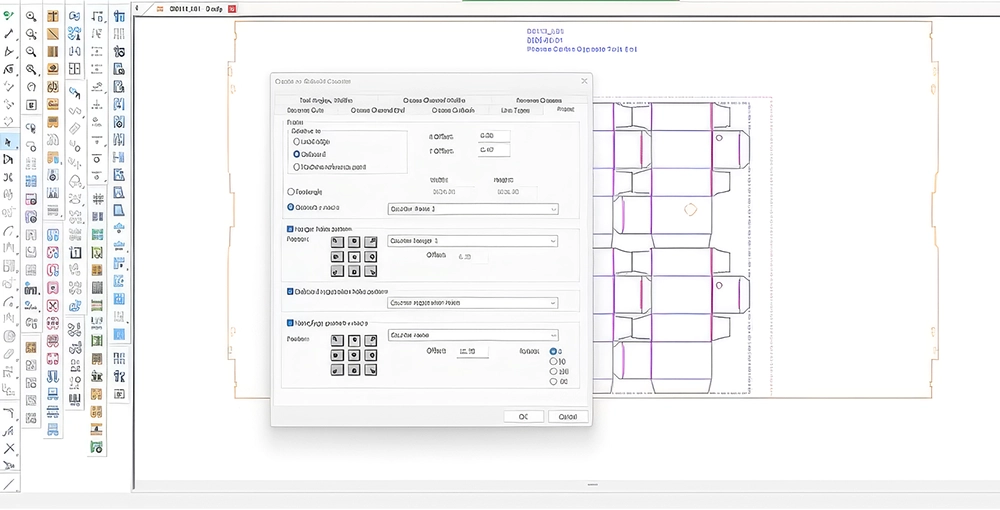
ArtiosCAD 26.07 is a strong release for die makers and converters who manufacture tooling in-house, with a dedicated set of tools that reduce setup time and optimize machine performance. New output device drivers for Bobst and Serviform equipment and rule benders, an improved Front Waste Separator tool that calculates separator widths from reference points, Steel Counter Plate profiles, and a dedicated Quick-Lock workflow for flatbed die cutters address real die room needs from layout through to production. The release also strengthens cloud workflows, letting users save and open files directly to their S2 account through the native S2 browser and centralise ArtiosCAD shared defaults on S2 so connected teams worldwide work from one consistent set of resources.
What's New in ArtPro+ 26.07
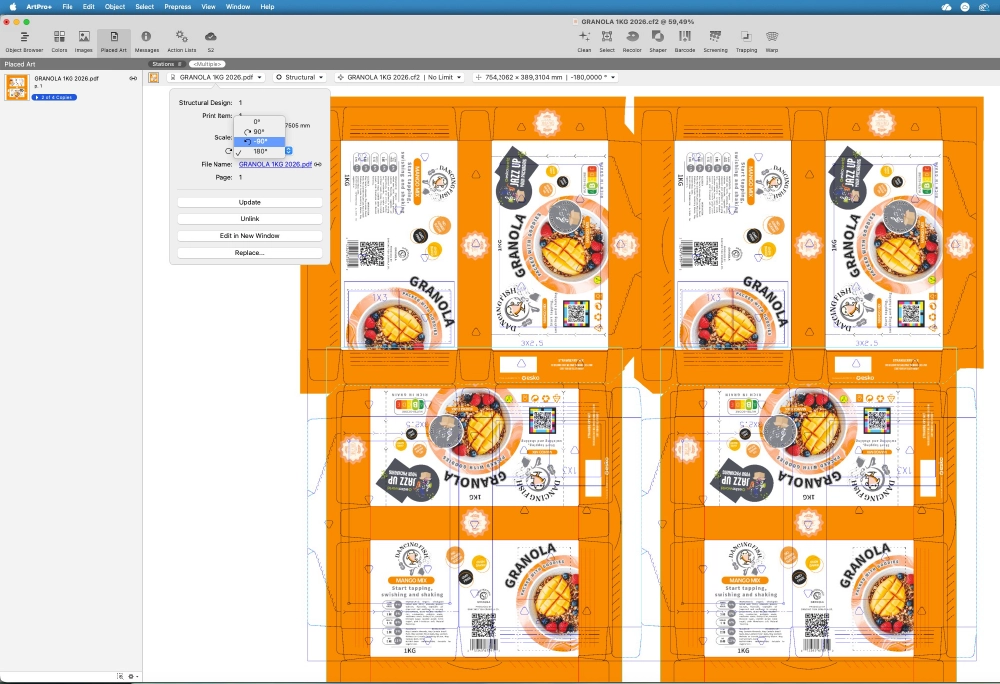
ArtPro+ 26.07 enables packaging teams to complete jobs faster by eliminating manual workarounds and making common editing tasks more efficient. Enhancements to packaging layouts, text editing, CAD workflows, and GS1 Digital Link support improve accuracy throughout production, while interactive messages help operators resolve issues more quickly. The result is faster turnaround times, greater confidence, and more consistent production-ready files.
What's New in DeskPack 26.07
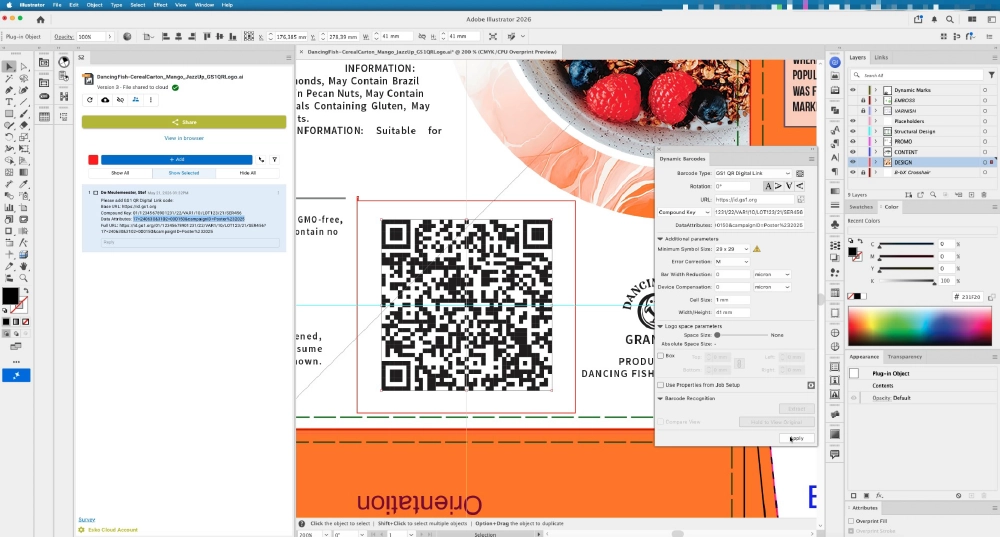
DeskPack 26.07 introduces official GS1 Sunrise barcode support, helping packaging teams prepare artwork for GS1 Digital Link and the future of connected packaging. Alongside improvements to trapping, colour management, barcode handling, and Illustrator editing tools, the release reduces manual work, improves accuracy, and speeds up everyday production tasks. The result is faster turnaround times, greater consistency, and more reliable print-ready artwork.
What's New in Cape Pack Cloud 26.07
Cape Pack Cloud 26.07 extends carbon footprint analysis to additional CAPE Pack workflows and introduces Input Data Reports to improve traceability and collaboration. Flexible and Box Primary Pack support, enhanced StockFill analysis, expanded headless integrations, and Report Builder enhancements further strengthen packaging optimization, enterprise automation, and reporting capabilities.
What's New in Studio 26.07
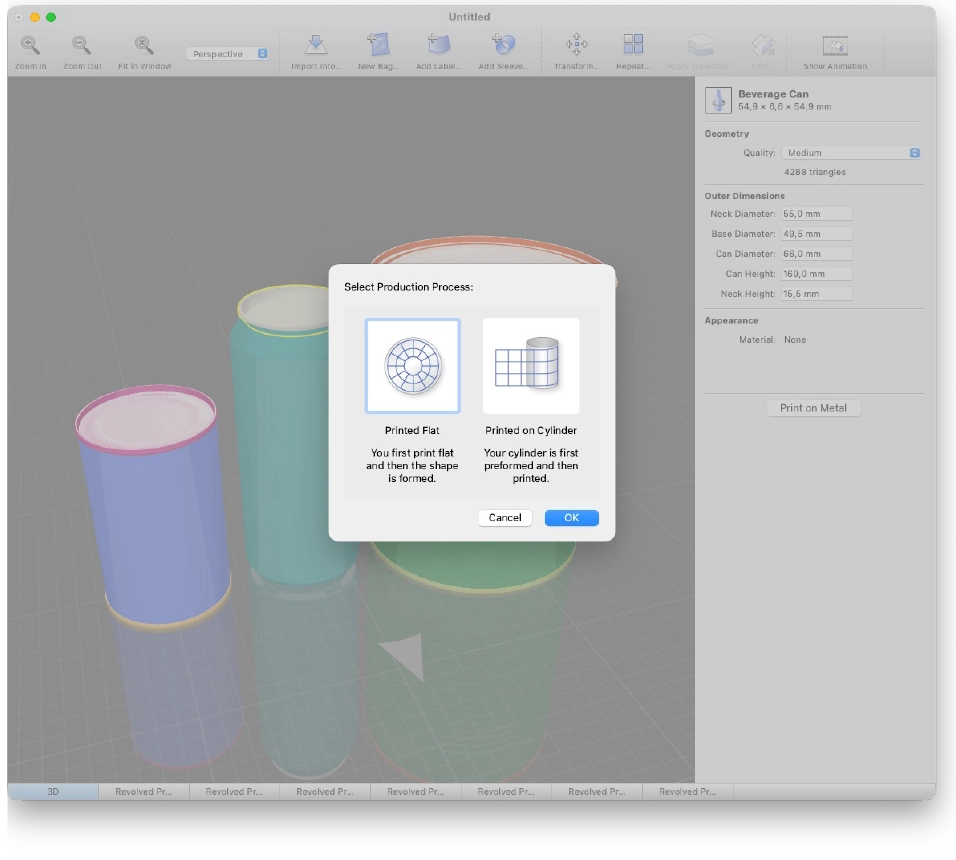
Studio 26.07 extends Studio Toolkit with Parametric Revolved Shapes: Print on Metal, letting designers convert portions of a parametric revolved model into printable parts while keeping full parametric editability. This makes it easier to prepare artwork for metal packaging such as cans and tins without losing the design intelligence behind the shape, so later adjustments stay fast and non-destructive all the way to production.
What's New in Store Visualizer 26.07

Store Visualizer 26.07 keeps a virtual shelf true to the real one. Customizable dynamic price tags now update themselves automatically from each product’s meta data, including new tags for price per unit, promotional price and QR codes, so pricing and promotional scenarios stay accurate across the whole planogram with no manual editing. A new Urban Store template and rendering improvements round out the release, giving you one more true-to-life environment to present in.
What's New in Automation Engine 26.07
This release of Automation Engine includes a focused set of scalability and performance improvements designed to help customers get more value from the systems they already run. Enhancements to performance logging, task cleanup, workload benchmarking, and monitoring visibility give your teams stronger insight into system behaviour and make it easier to identify and resolve bottlenecks before they affect production. Together, these improvements support more predictable performance under heavy workloads, faster diagnosis when issues occur, and better protection against long-running tasks consuming shared processing capacity. The result is a more scalable, observable, and resilient Automation Engine environment that can support growing production volumes with greater confidence.
What's New in Color Pilot 26.07
Waiting for update
What's New in Comply
Comply 26.07 brings new capabilities to help packaging teams automate artwork validation, improve compliance checks, and reduce manual review effort. A major highlight of this release is Preflight Integration, enabling users to run Pitstop preflight checks as part of the Quality validation workflow in WebCenter and WebCenter Go. Teams can identify technical artwork issues earlier, improve review efficiency, and ensure files meet required standards before Production run. This release also expands Intelligent Brief Processing with content element grouping, dynamic fields, image support, and more flexible content rules supporting casing, styling, superscript, and subscript validation. Comply now supports multiple briefs against the same artwork, allowing teams to validate complex packaging projects with multiple source documents. Rulebook import and export makes it easier to manage and reuse validation configurations. Barcode validation is enhanced with multi-page barcode support, improved barcode search, and the ability to view and copy detected barcode details directly from validation results. A new No Barcode rule allows teams to verify when an artwork should not contain a barcode, based on the approved brief requirements. Improved spell check capabilities provide more accurate text validation, helping teams focus on genuine content issues and speed up artwork reviews. Additional text and image validation improvements, including enhanced text detection, close-match difference highlighting further improve artwork review accuracy.
What's New in Flexo Front End 26.07
Flexo Front End 26.07 introduces Auto Nested Merging, which automatically nests jobs using the actual cut path instead of the bounding box to maximize plate utilization and reduce material waste. The release also adds support for Quartz Thermal Screens, bringing Quartz screening technology to thermal plate processing while delivering the same high-quality print performance users expect from solvent workflows. Together, these enhancements help flexo teams improve efficiency, reduce waste, and maintain consistent print quality.
What's New in WebCenter 26.07
WebCenter 26.07 introduces improvements that make day-to-day use, administration, and automation more efficient. The new AI-powered Scripting Assistant for Esko SaaS, available in Beta, helps dashboard builders generate and refine scripts from natural-language prompts. Dashboards become easier to configure with document landing dashboards, improved role management, inline dashboard actions, cell-level visibility scripts, and simplified cascading list setup. Workflow automation is strengthened with role inheritance when creating projects, while platform reliability and operational control improve through better search performance, encrypted database credentials, digitally signed hotfix installers, reduced log volume, and direct log-level management. For Esko SaaS customers, Proof Reports can now include Cloud Quality Check summaries, and optional Content Management capabilities add Beta Content Extraction from PDF artwork and Office documents for review, correction, and downstream use in Dynamic Text workflows.
What's New in WebCenter Pack 26.07
WebCenter Pack introduces powerful new workflow capabilities. Configure routing based on To-Do task outcomes, automate complex approval processes with advanced options in the Start Approval step, and simplify workflow initiation through public parameters. Also available is a beta version of the Public MIS API, enabling seamless integration with external systems to create jobs, upload files, launch workflows, and more.
What's New in WebCenter Go 26.07
WebCenter Go 26.07 introduces AI-powered project creation to help Project Managers turn project briefs into ready-to-start projects faster by extracting key details, recommending the right workflow templates, and reducing manual setup effort. It also improves workflow flexibility with path-specific metadata handling, stronger validation controls, and better support for complex approval scenarios. This release enhances day-to-day project execution with improved file management, including easier file replacement during workflow steps, dedicated project file space for better visibility, conditional and hierarchical metadata setup, overdue notifications, and stronger audit trail capabilities. Additional reliability and access control improvements help teams maintain better governance, traceability, and collaboration across projects.
What's New in Phoenix 26.07
Offcuts can now be defined in advance to preserve press margins by aligning them to the outer edges for easier guillotining. Crop marks can use Offcut values for positioning and sizing, and all cutting formats can export Offcut values. All marks also now support three Z-order options: Default (layered in positional order), First (behind all pages and marks), and Last (above all pages and marks).