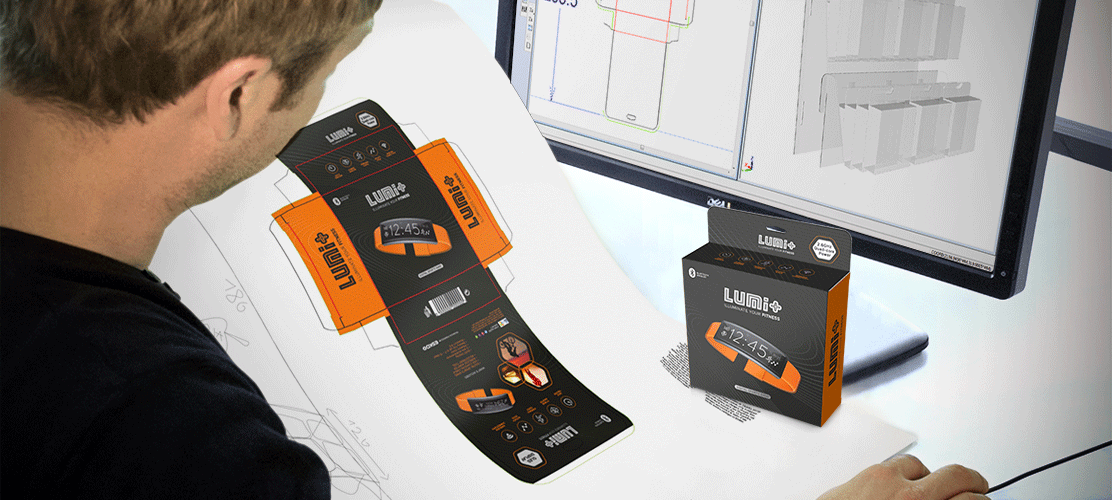
Over a three-month period, a packaging team was tasked with producing a new label for a flagship product.
Midway through, marketing made artwork changes, followed by regulatory altering the storage instructions. Despite the packaging team’s assurance that deadlines would be met, each change demanded a new approval process.
As the deadline approached, the label was delayed while final approvals from both marketing and regulatory were still pending.
The inevitable question arose: Why does packaging always take so long?
The truth is that packaging teams often face constant, uncontrollable changes. Without a way to control these requests, managing the project effectively becomes nearly impossible.
That pressure is only increasing. More SKUs, shorter print runs, more regional variants, and more frequent packaging updates have made manual coordination harder to sustain.
What works for a single-site team managing a limited portfolio often breaks down for regional groups coordinating multiple plants, multiple brands, and multiple stakeholder groups. That is where packaging workflow software becomes essential.
So what is one to do?
Five Signs You Need a Packaging Workflow Management Solution
1. You Don't Know Where a File Is in the Approval Process
Let’s face it: approval processes can be convoluted.
Even in the simplest and most mature markets, packaging labels and artwork typically require approval from a variety of people. Marketing, legal, regulatory, operations, and packaging all have a role to play, and the more variants you manage, the harder it becomes to see what is waiting, what is approved, and what is blocked.
With label and artwork management technology, you can create custom label and artwork workflows that empower you to track an approval’s progress.
A strong workflow platform gives every stakeholder visibility into current status, pending tasks, and next steps, so project owners are not left chasing updates manually. For teams that have outgrown spreadsheets, shared drives, and ad hoc trackers, a centralized workflow environment such as WebCenter can provide that visibility at scale.
As Paul Land, Senior Product Manager, Esko, notes:
“That whole process—from receiving a file to knowing it’s fit for purpose—used to take days. Now it takes minutes.”
2. You're Routing Files for Approval by Email
Email is a reliable way to communicate quickly. But when it comes to label and artwork management, it is more of a hindrance. At best, it is slow and inefficient.
Email-based approvals fragment feedback across inboxes, attachments, and disconnected comment threads. That makes it difficult to know which file is current, which comments have been addressed, and whether reviewers are even looking at the same version.
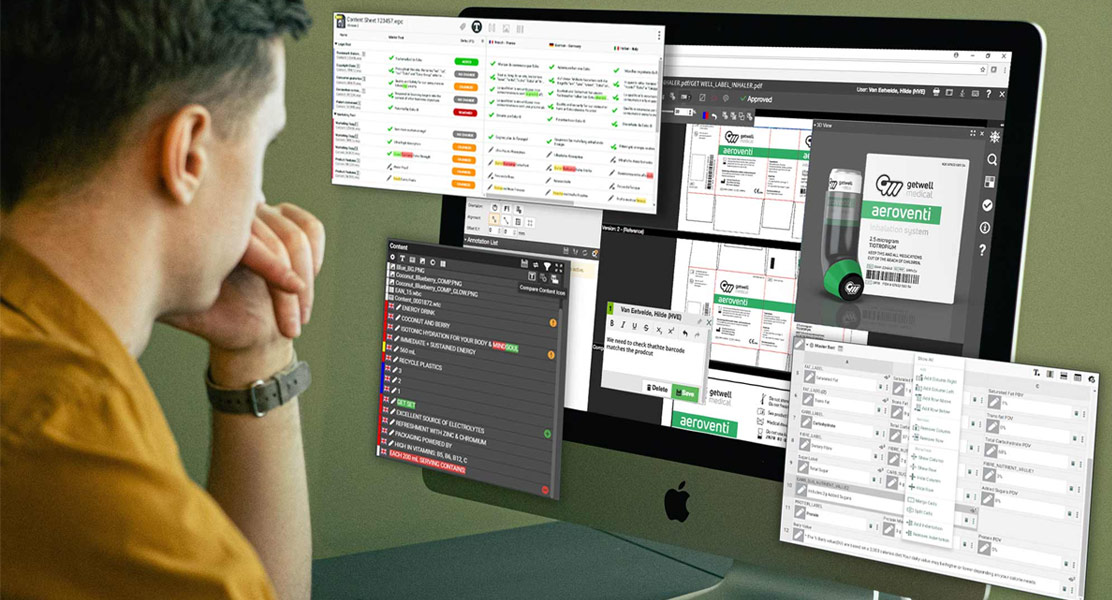
With label and artwork management technology, you gain a fluid and accessible approval process. Everyone can see the latest artwork version, and the annotations on it, in real time.
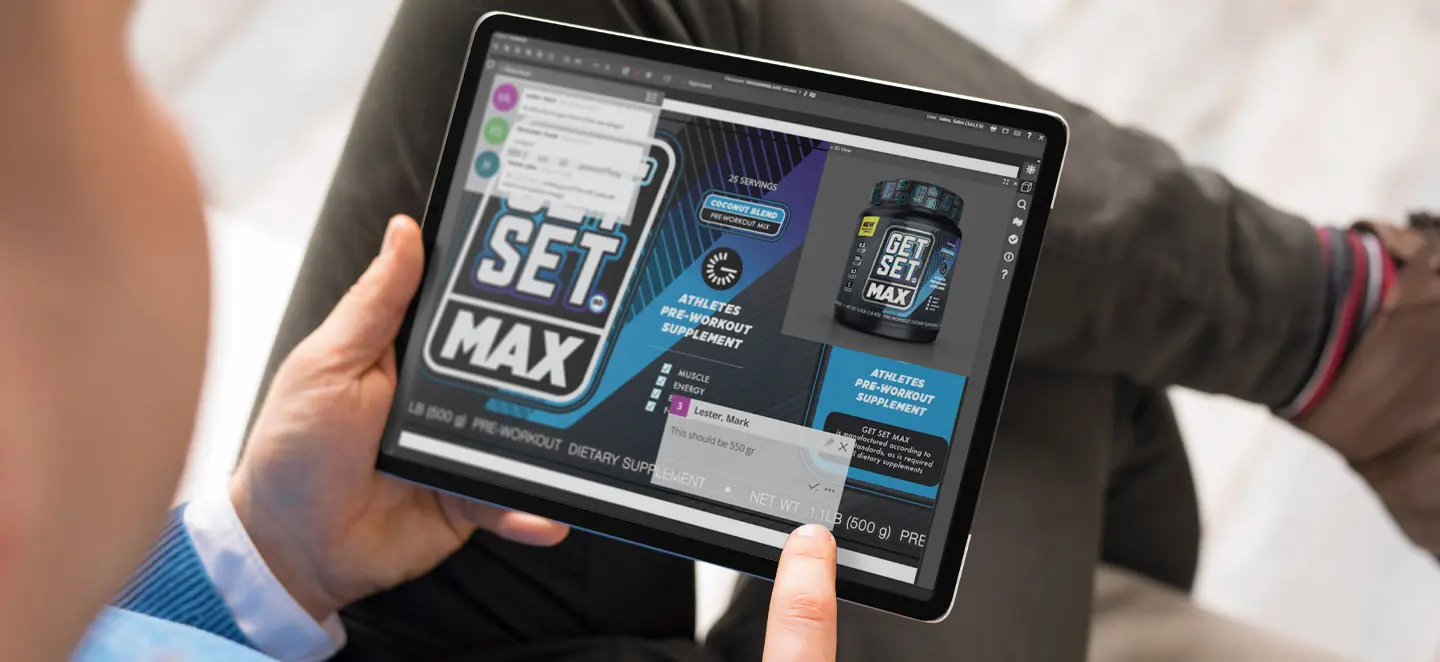
Modern packaging workflow software goes further by enabling in-browser proofing, contextual markups, measurement tools, and visual comparison so reviewers can comment directly on the artwork instead of describing issues in a separate email. This is one reason many teams are moving away from fragmented review processes and toward more automated, in-platform collaboration, as discussed in Leveraging Automation and AI in Packaging Design.
3. You Have a Lack of Accountability
Accountability is essential to creating efficient teams and meeting deadlines.
A label and artwork management solution allows companies to trace approval iterations, providing documentation for each step. Know who did what, when, and who approved it.
That traceability matters for more than project discipline. It also supports audit readiness, root-cause analysis, and continuous improvement.
In modern packaging workflows, accountability should include automatic version history, side-by-side version comparison, and the ability to roll back to a prior approved version when needed. Tools built for packaging and compliance, such as Comply, help organizations maintain that level of traceability across checks, approvals, and exceptions.
4. Inter-Departmental Processes Are Cumbersome
In label and artwork management, no team operates in isolation. Your team interacts with marketing, legal, regulatory, operations, and other departments, creating potential bottlenecks.
A solution designed for these processes streamlines the workflow across departments, allowing you to assign tasks and track responsibilities even if individuals are not directly part of your team.
That same principle increasingly applies beyond internal departments. Agencies, translators, pre-media partners, printers, and suppliers often need to work in the same process. The more handoffs that happen outside the system, the more delays and errors you introduce.
Modern packaging workflows make it possible to collaborate across functions and with external partners in one controlled environment. For growing brands and lean teams, WebCenter Go reflects this shift toward simpler, shared collaboration across packaging stakeholders.
5. You Have Poor Brand Consistency
Your brand identity is the fundamental way you differentiate yourself from the competition on the shelf, online, and in the media.
A label and artwork management system provides easy access to necessary materials, helping teams stay on brand without initiating new content or artwork.
That becomes even more important when multiple sites, product lines, or regional teams are involved. Brand consistency depends on centralized access to approved assets, specifications, templates, and current versions, not just good intentions.
Version control, controlled reuse, and standardized specs help ensure the right files are used every time.
Esko’s latest WebCenter developments also emphasize these capabilities for maintaining consistency across packaging assets and variants, as outlined here: new Esko WebCenter Pack and WebCenter Go empower converters and brands respectively to achieve label and packaging excellence.
Packaging Project Management Best Practices
Packaging project management is a complicated process that can easily go off the rails. That is why it is important to implement sustainable best practices for your whole team.
Continually Optimize Your Workflow
No matter what your process looks like now, there is almost certainly room for improvement. Project managers are tasked with identifying bottlenecks and providing foolproof solutions to improve the workflow.
Incorporating packaging management software is a critical step in fully optimizing your packaging workflow.
It also helps to think in terms of digital maturity. Many packaging operations begin in a reactive state, relying on email, shared folders, and manual follow-up. As complexity grows, those methods become harder to govern.
Packaging workflow software helps teams move toward a more standardized, automated, and ultimately more intelligent operating model.
Use a Central Hub to Keep Everyone on the Same Page
This may seem an obvious first step in improving your workflow. However, it is more complex than one might think.
A central hub is more than just your server and assorted filing systems. It is a host for communication, artwork approval cycles, and internal and external teams. It keeps everyone in alignment.
Today, that hub should also connect to the wider packaging technology stack. For many organizations, packaging data lives across multiple systems, including:
- PLM
- ERP
- DAM
- CMS
- CRM
- RIM systems
If your workflow platform cannot connect to those systems, teams end up rekeying data, duplicating content, and introducing avoidable errors. Connected platforms such as WebCenter are increasingly expected to act as the workflow layer that keeps packaging data synchronized across teams and tools.
Try to Limit the Number of Review Cycles
Approval processes are tedious and error prone. This aspect of the packaging value chain results in numerous bottlenecks. Lost feedback and unnoticed mistakes in artwork are just two examples of this.
Reducing unnecessary review loops is not about cutting corners. It is about structuring reviews so the right people review the right content at the right time.
Standardized approval paths, clearer responsibilities, and better proofing tools all help reduce rework. A platform that supports templates, version control, and controlled review stages can make this much easier to sustain.
You can see how this works in practice in the WebCenter Pack product tour.
Keep an Audit Trail
Simply put, mistakes happen. And when they do, it is imperative to have an audit trail tracing them back to the source.
In modern packaging operations, that audit trail should be automatic. It should capture:
- version history
- reviewer comments
- approvals and rejections
- timestamps
- any overrides made during the process
It should also make it easy to compare versions side by side and, when necessary, return to a previously approved version. These capabilities strengthen both operational control and compliance readiness, especially in regulated environments.
As Marc Vael, Chief Digital Trust Officer, Esko, says:
“Our customers don’t just use our technology. They trust us with their most critical assets — logos, designs, packaging concepts. That’s why digital trust matters.”
Esko’s recent compliance innovation also highlights the value of audit-ready reporting and traceability within the workflow itself: Esko unveils groundbreaking new AI-led label compliance innovation to drive efficiency and ensure quality.
Track Your Main KPI's
Many brands struggle with determining and tracking KPI’s. The process of tracking KPIs is difficult, but failing to do so hampers the improvement of your packaging process.
If you cannot measure cycle time, approval turnaround, revision frequency, bottlenecks by stakeholder, or recurring error types, it becomes much harder to improve performance.
KPI tracking should help managers see where work slows down and where standardization or automation will have the greatest impact.
Use GMP Certified Tools to Ensure Your Regulatory Compliance
Adhering to compliance standards is a difficult undertaking. It is made more difficult by the various internal and external stakeholders involved in the process.
That challenge has grown as packaging teams manage more SKUs, more geographies, and more frequent content changes. In that environment, compliance cannot remain a final-stage manual check. Increasingly, it needs to be embedded in the workflow itself.
Modern packaging workflow software can now support AI-assisted, rulebook-based compliance checks that validate copy, formatting, logos, symbols, and barcodes as part of the process rather than only at the end.
Reusable rulebooks make it possible to define requirements once and apply them across product lines, markets, and packaging variants, helping standardize quality checks while reducing review effort.
More on this approach is available on the Comply product page and in Esko’s announcement of its AI-led label compliance innovation.
Move to a Fully Digital Process
It is an understatement to say that efficiency and profitability go hand in hand in today’s fast-paced economy.
Incorporating software to fire up your digital transformation enables you to improve speed-to-market and unlock greater growth potential.
It also helps explain why generic project management tools often fall short for packaging. General-purpose tools may track tasks, but they are not built for artwork proofing, version comparison, regulated approvals, structured packaging content, barcode and symbol checks, or packaging-specific audit trails.
Packaging teams need software that understands packaging work, not just project work.
Six Ways Packaging Workflow Management Improves Speed-to-Market
1. Preventing Delays
Workflow management systems enable project owners to set tasks, timeframes, and dependencies to ensure each label and packaging artwork project is on time every time.
Modern systems can also automate handoffs after signoff, trigger the next reviewer based on workflow conditions, and escalate overdue tasks before they become launch risks. This is especially valuable when approval paths vary by pack type, region, or regulatory requirement.
2. Optimizing Resources
With workflow management tools, the time it takes to manage a label and packaging artwork project is reduced. Project owners are freed from the burden of sending follow-ups and chasing feedback.
That means skilled packaging and prepress teams can spend less time coordinating work and more time moving it forward. For multi-site organizations, the gains can be even greater because standard workflows reduce the need to reinvent the process plant by plant.
3. Promoting Teamwork
Workflow management technology streamlines communication with automated document sharing and task and approval alerts. It fosters a better understanding of the end-to-end process.
Today, teamwork in packaging workflows also includes browser-based proofing, contextual annotations, visual compare tools, and collaboration with external agencies, translators, and suppliers in the same system.
When everyone reviews the same file in the same environment, communication becomes clearer and turnaround times improve. WebCenter’s proofing capabilities are outlined in the WebCenter product tour.
4. Using Tech "On the Go"
Modern workflow management technology allows users to work virtually. Staff can access project updates, review label and packaging artwork, and receive task assignments regardless of location.
That flexibility matters whether you are coordinating a single in-house team, managing remote approvers, or supporting multiple facilities across a region. The ability to review and respond without being tied to a specific workstation helps keep projects moving.
5. Flagging Unforeseen Issues
A workflow management system captures and organizes issues before they become irreversible problems.
That includes not only missed approvals and late-stage changes, but also version conflicts, content mismatches, and compliance risks that can be identified earlier in the process. Embedding quality and compliance checks into the workflow helps surface issues before they reach print or market.
6. Assessing Performance
With workflow management technology, an easy-to-use reporting dashboard enables managers to assess their workflow performance.
That visibility helps teams identify recurring bottlenecks, compare performance across brands or sites, and make better operational decisions. It also supports continuous improvement by showing whether process changes are actually reducing cycle time and rework.
Five Must-Have Features for Packaging Workflow Management Software

1. Status Indicators
Ideally, your workflow management technology will be your one-stop shop for all label and artwork management processes in your organization, which means there will be multiple workflows running simultaneously.
Clear status indicators help users understand where every project stands, what is overdue, what is awaiting review, and what has been approved. Without that visibility, project owners are forced back into manual tracking.
2. Intuitive Workflow Builder
Great workflow management technology allows the user to build workflows in simple linear loops.
But modern packaging operations often need more than simple linear routing. The best packaging workflow software also supports workflow templates, chained tasks, conditional routing, and automatic handoffs based on pack type, market, approval outcome, or business rules.
That allows teams to standardize common packaging jobs while still handling complexity where needed.
Recent WebCenter developments reflect this move toward more configurable, repeatable workflow design: new Esko WebCenter Pack and WebCenter Go empower converters and brands respectively to achieve label and packaging excellence.
3. KPI-Based Reports
A robust KPI-based reporting function will let you see and analyze where the bottlenecks are in your label and artwork management process.
That reporting should go beyond simple counts. It should help you understand turnaround time by stage, approval performance by stakeholder group, revision patterns, and where exceptions are occurring most often.
4. Automated Notifications
Your workflow management technology should send automatic notifications via email to remind your stakeholders an approval is due.
More importantly, those notifications should be tied to workflow events, not just reminders. When one stakeholder signs off, the next stakeholder should be triggered automatically. When a condition changes, the workflow should adapt.
This event-driven approach reduces lag between steps and keeps projects moving without constant manual intervention.
WebCenter Go highlights this kind of streamlined automation for growing teams: Esko launches new WebCenter Go to help emerging brands streamline packaging artwork and ensure compliance.
5. Role-Based Access Control
Your workflow management technology should allow you to customize what each user can see and edit.
This is essential when multiple departments, external partners, and regulated approvals are involved. Role-based access helps protect sensitive information, reduce user confusion, and ensure each participant interacts only with the tasks, files, and actions relevant to them.
In practice, many teams also expect this control to extend to structured content, approved copy blocks, symbols, and barcode data, not just files. As packaging workflows become more connected and content-driven, access control becomes part of governance as much as convenience.
Wrapping Up
The proof is in the pudding: the best way to streamline your workflow is by using workflow management technology.
In this day and age, with technology allowing us to work smarter, not harder, can you afford not to?
We think not.
For some organizations, that may mean an enterprise-grade environment integrated with surrounding systems and scaled across multiple sites. For others, especially growing brands, it may mean a lighter SaaS approach that is faster to deploy while still bringing structure, visibility, and compliance into the packaging process.
Either way, the direction is clear: Packaging workflow software is no longer just about moving files through approvals. It is about creating a connected, traceable, and increasingly intelligent packaging operation.
Click here to learn more about WebCenter.