Written by Gouri Sasidharan
Content Specialist, Esko

Written by Gouri Sasidharan
Content Specialist, Esko
Labeling teams today are under intense pressure. Regulations tighten each year, product portfolios multiply, and packaging change cycles are shortening.
Now, AI has become the new selling point in every corner of the packaging and labeling space. From automated proofreading to regulatory checks, nearly every tool now markets itself as “AI-powered” or “AI-driven”.
However, with every software vendor claiming the same, regulatory professionals are left with an overwhelming question: What is real AI, and what is just marketing? Which tools genuinely help ensure compliance, and which ones simply rebrand existing features under the AI banner?
Let’s walk through what “AI for labeling” realistically means today, how to evaluate tools that claim AI-driven capabilities, and how Comply puts this into real, usable practice.
Like “cloud” and “automation” before it, AI has become a buzzword that vendors increasingly use without meaningful capability behind it.
As pressure mounts to work faster and eliminate compliance errors, vendors increasingly lean on AI as a marketing hook. But this trend leads to AI washing—the practice of labeling basic automation or keyword search as “AI.”
Many tools position simple text extraction or templated logic as intelligent regulatory enforcement. Others pass off auto-highlights or Optical Character Recognition (OCR) as “AI-powered compliance”. But what they’re really selling is automation with a pretty name. And that’s fine until someone asks for audit trails, regulatory defensibility, or consistent enforcement across languages, markets, and SKUs.
This leads to real risk. You may invest in a system thinking you get “smart compliance,” but end up with something not much smarter than a spell-checker or a checklist. That’s not the kind of automation that keeps regulators or quality management calm.
Let’s be real. AI is useful, but we still need human supervision in the labeling field every day.
If every vendor says they have “AI for label compliance,” how do you separate the genuinely useful from the marketing fluff? Here’s a simple checklist regulatory teams can use before signing on the dotted line:
Note: Customizable rulebooks are not one-size-fits-all templates. There are vendors who offer pre-configured rule libraries which sound convenient until they miss a market nuance or your internal brand requirement. The right tool should let you configure, tweak, and add rules because “generic compliance” is how mistakes slip through.
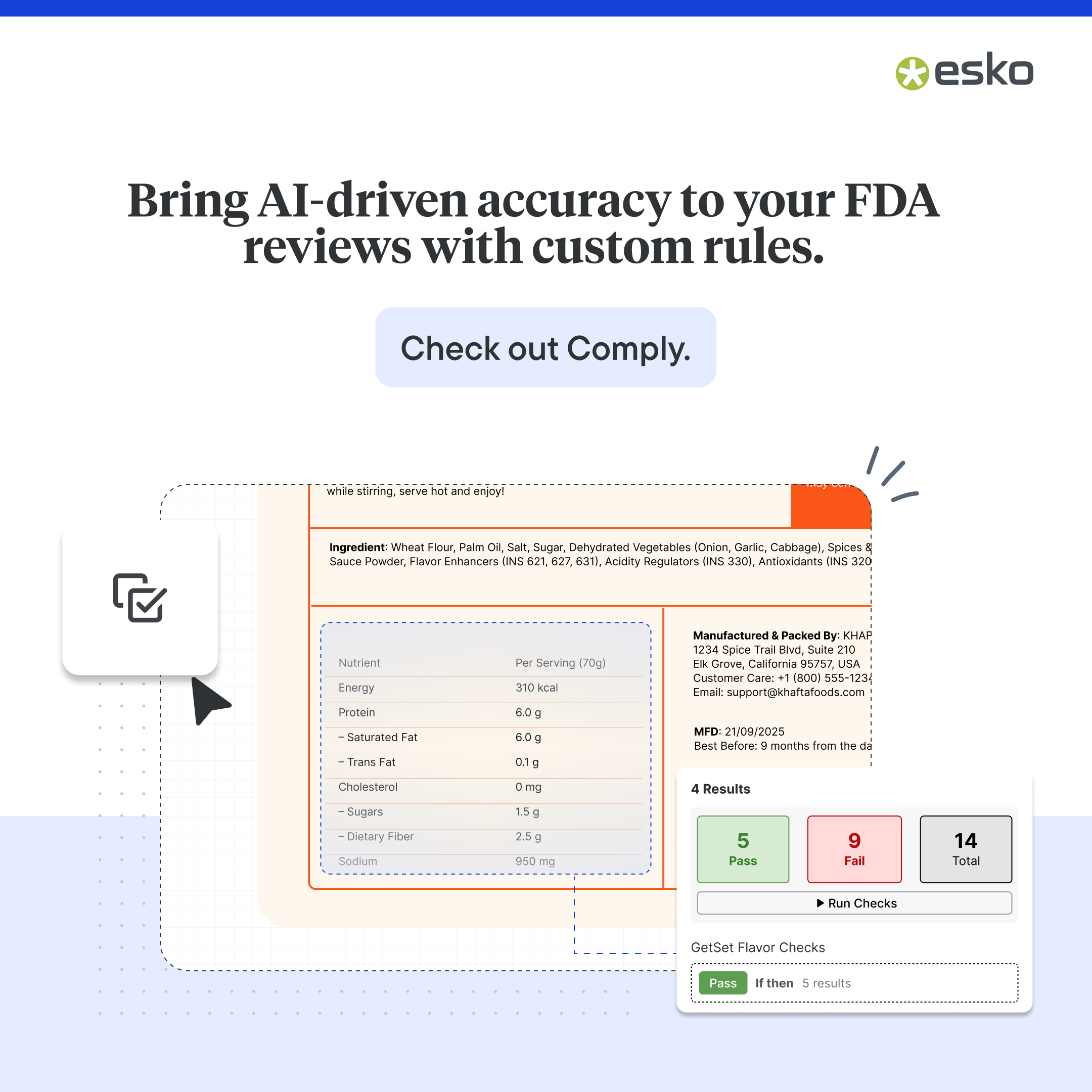
Here’s how Comply, an (actual) AI-powered label compliance tool that automates label reviews, and content and compliance checks, puts all of the above into practice, and how your team can use it for a smoother, safer, faster labeling process.
First, define your packaging, regulatory, and brand requirements in the customizable rulebooks. Whether it’s allergen declarations, nutrition tables, required icons, language rules, barcode specs, you encode those rules once for each market or product type.
Why It Matters
As the rulebook is reusable and centrally managed, you reduce ambiguity, prevent human misinterpretation, and enforce the same rules for all the packaging assets.
When a design team uploads a new label file (or a revised version), you can trigger Comply to run automatic compliance checks, scanning text, logos, barcodes, formatting, layout elements, symbols, etc. Without manual intervention, you get instant feedback on missing or incorrect regulatory elements (e.g. missing allergen statements, incorrect barcode data, mis-sized text, missing disclaimer, outdated logo, etc.).

Why It Matters
With instant and detailed feedback, you can reduce review loops and finish the project in a shorter timeline.
Comply integrates into the WebCenter Go workflow seamlessly where you can annotate, comment, approve or reject directly on the platform. You don’t have to hop between multiple tools, and everyone sees the same version.
Moreover, version comparison, mark-ups, and side-by-side review make it easy for regulatory, marketing, legal, design, and packaging teams to collaborate.

Why It Matters
No guesswork on what’s wrong or where. Your teams can fix errors faster with more confidence.
Every check, flag, and override is logged. That means when someone asks, “Why did this label get approved?”, you can open the compliance history and see exactly what was flagged, what was corrected, who approved it, and when.
Why It Matters
This kind of traceability is gold during audits, recall investigations, or internal quality reviews. You don’t have to scramble when a regulator or QA asks, “show me proof.”
Whether you have 1 SKU or 200, or you’re launching in different countries with different languages and regulations, Comply helps you scale. Rulebooks adapt by market, language, and product type; compliance checks remain consistent and automated at scale. Meaning, you can add regulatory requirements from across global markets including FDA, EU, FSSAI, SFDA, BPOM, and more and Comply helps you align with them.
Why It Matters
For growing brands or teams managing many SKUs, this scale benefit is often the biggest return on investment.
Note: Comply will soon be available for enterprise teams on WebCenter Enterprise.
Now that you’ve seen how Comply is used, here are the strengths that really distinguish it, and why many teams choose it when they want label compliance with flexibility, scale, and control.
1. Flexibility and Customization
Custom rulebooks help adapt to any market or product niche. With Comply, you get to define your own rules (ingredients, allergens, recycling icons, disclaimers, fonts, logo usage, etc.) depending on brand/market needs. Your compliance evolves with your regulations, not the other way around.

2. Sectional Checks
You can run compliance checks on selected or relevant sections of a design (e.g. just the ingredient panel, barcode area, or specific text area) instead of scanning the entire artwork, saving you time.
3. Integration & Workflow Continuity
Comply is not just a “compliance scanner”. It lives inside a full packaging workflow (DAM, version control, proofing, collaboration). This reduces friction because you don’t need to switch tools for label compliance and artwork management separately.

4. Scalable for High-SKU Growth
Reusable rulebook templates let you expand into more markets and variants without extra overhead. Compliance stays consistent even when product lines explode.
5. Controlled & Efficient for Lean Teams
Emerging teams can enforce strong compliance without a large regulatory headcount. Comply handles the heavy lifting while teams stay in control.
If there’s one thing to take away from the current AI-labeling boom, it’s this: don’t let “AI-powered” claims fool you. What matters is what the tool actually does under the hood — rule enforcement, transparent scanning, accurate checks, auditability, and real integration with your workflow.
Comply does some serious selling of a scalable, defensible compliance engine built around your own rules, with AI only where it helps, and humans are always in control where it matters.
For teams juggling regulation, speed, product volume, and risk, that’s far more valuable than a flashy “AI” badge.
Want to see Comply in action? Talk to our experts.
Gouri, a content specialist at Esko, loves adding a dash of creativity to everything she writes. She dedicates her craft to creating and optimizing content for clarity and impact. On weekends, you can probably spot her exploring new cafés or at movies.